When we go into a company, we find many small and larger things that could change as part of going digital. For them to actually happen, a change process is needed that explicitly drives these measures forward.
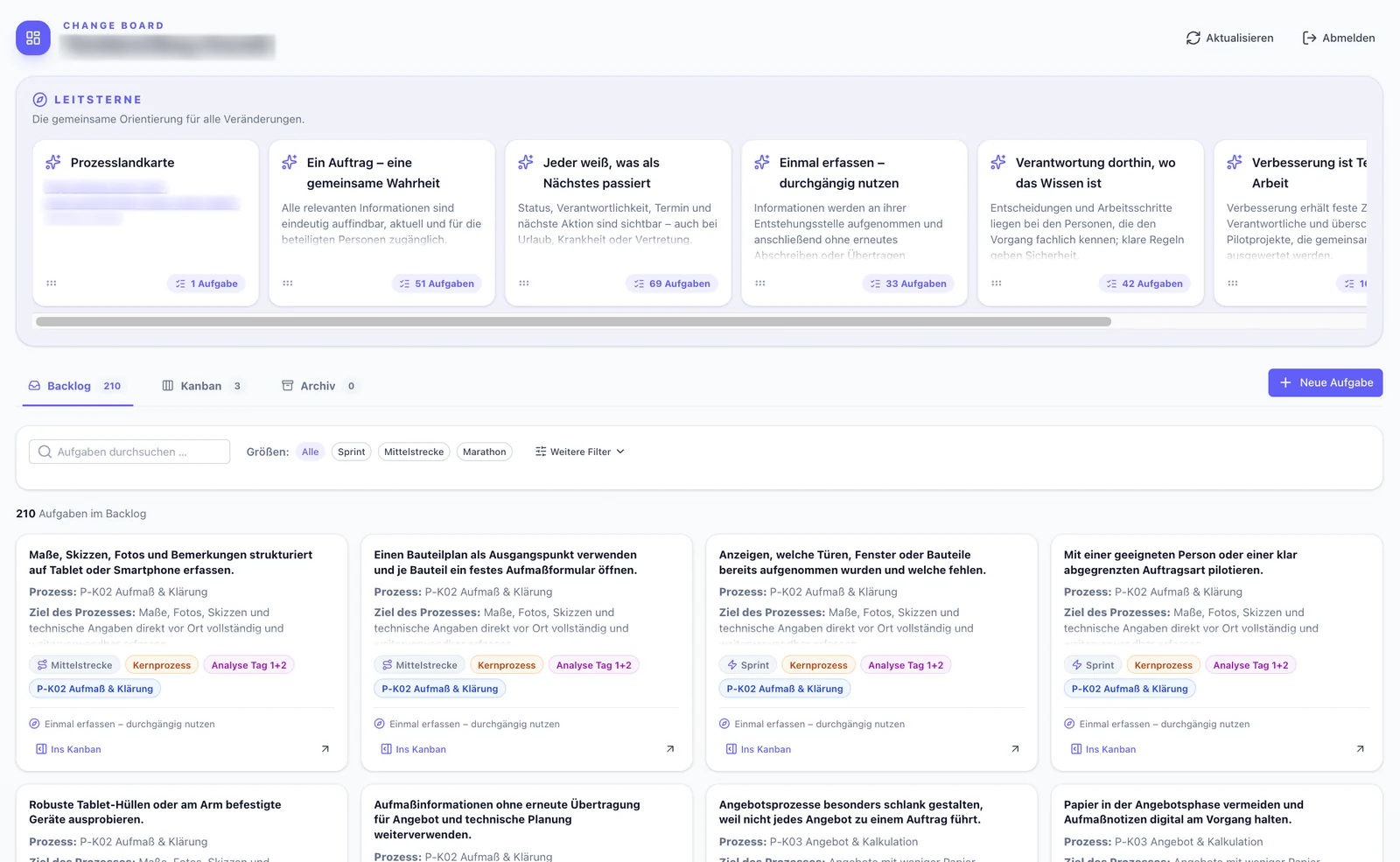
So that this process itself runs systematically, we recommend weekly planning meetings and retrospectives. The discussion in them needs a common basis – and that is the Change Board.
Who it is for
For our clients. After working with a company, we leave a Change Board behind that everyone involved can view and maintain online.
What the app does
Guiding stars: overarching principles for the change.
Backlog: a long list of measures of different sizes – sprint, middle distance or marathon.
Kanban board: For the coming week or longer, the company picks individual measures from the backlog and moves them onto a Kanban board. There, everyone can see what is coming up and what is in hand.
This makes it easy for everyone to stay focused until the next retrospective. Everyone knows what needs to be worked on first.
How the app came about
The Change Board came about for our work with clients. At the start we fill it from the transcripts of our conversations with staff. In doing so, we follow a process map that we work out first.
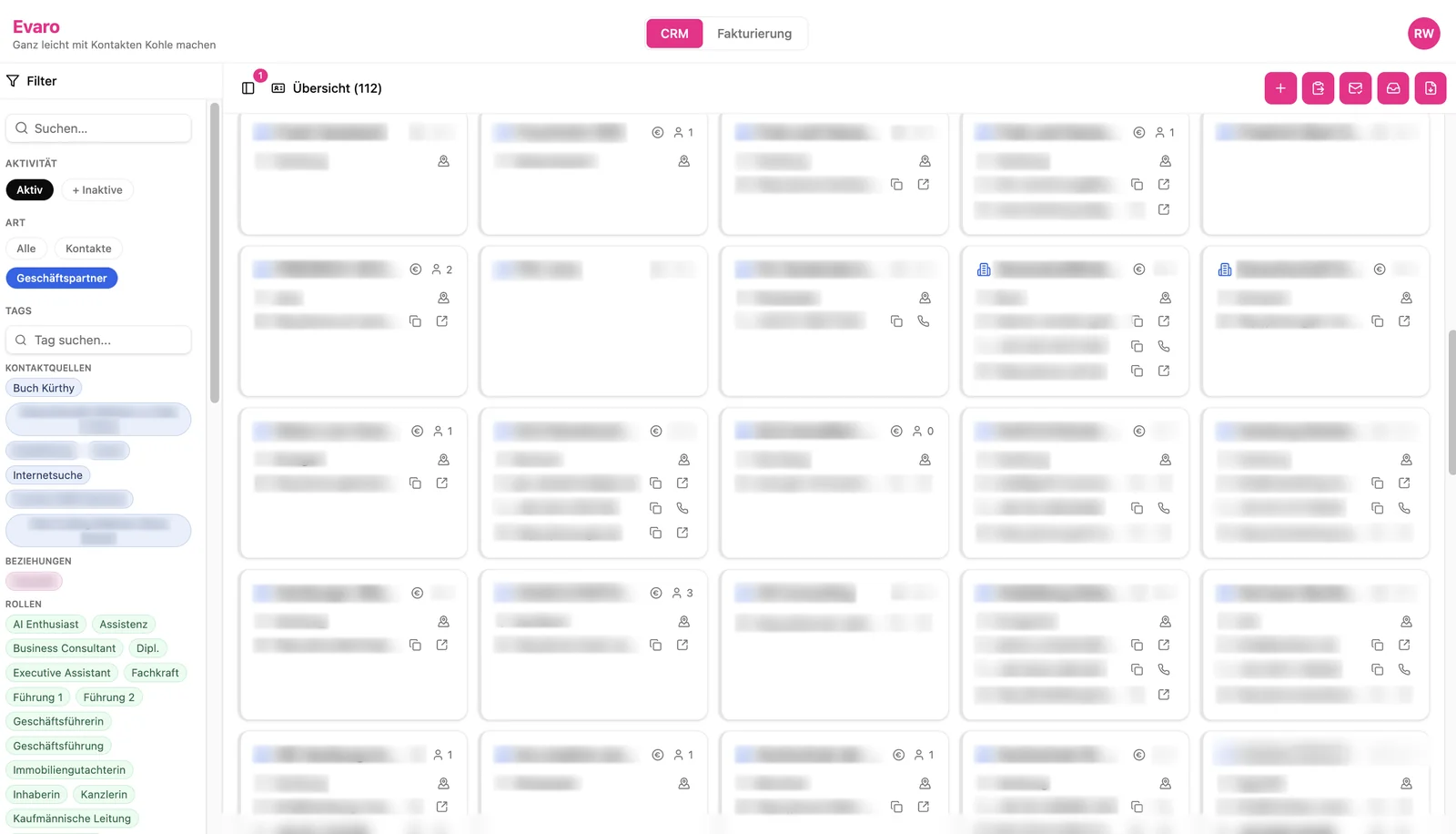
Managing contacts and writing invoices
Starting point
We used the standard software Odoo for contacts and invoices. It was cumbersome, changes were complicated and expensive and always needed a service provider. On top of that, Odoo was expensive for the little of it we actually used.
Who it is for
For ourselves. Our own app “Evaro” has replaced Odoo.
What the app does
Contacts: We maintain contact details for people and companies. They can be filled in automatically from email signatures.
Newsletter: Contacts can be exported for sending the newsletter.
Invoicing: It builds on this data. From draft to payment, every invoice goes through a simple process. This is for our own overview; the bookkeeping is done by our tax adviser.
Export: Invoices go out as PDF and as XRechnung, the German e-invoice format.
How the app came about
Instead of adapting Odoo further, we built our own CRM with invoicing. Evaro is lean and costs nothing to run. It has everything we need, but no more. When something needs to change, we build it in ourselves within minutes.
Claiming travel expenses without the paperwork
Starting point
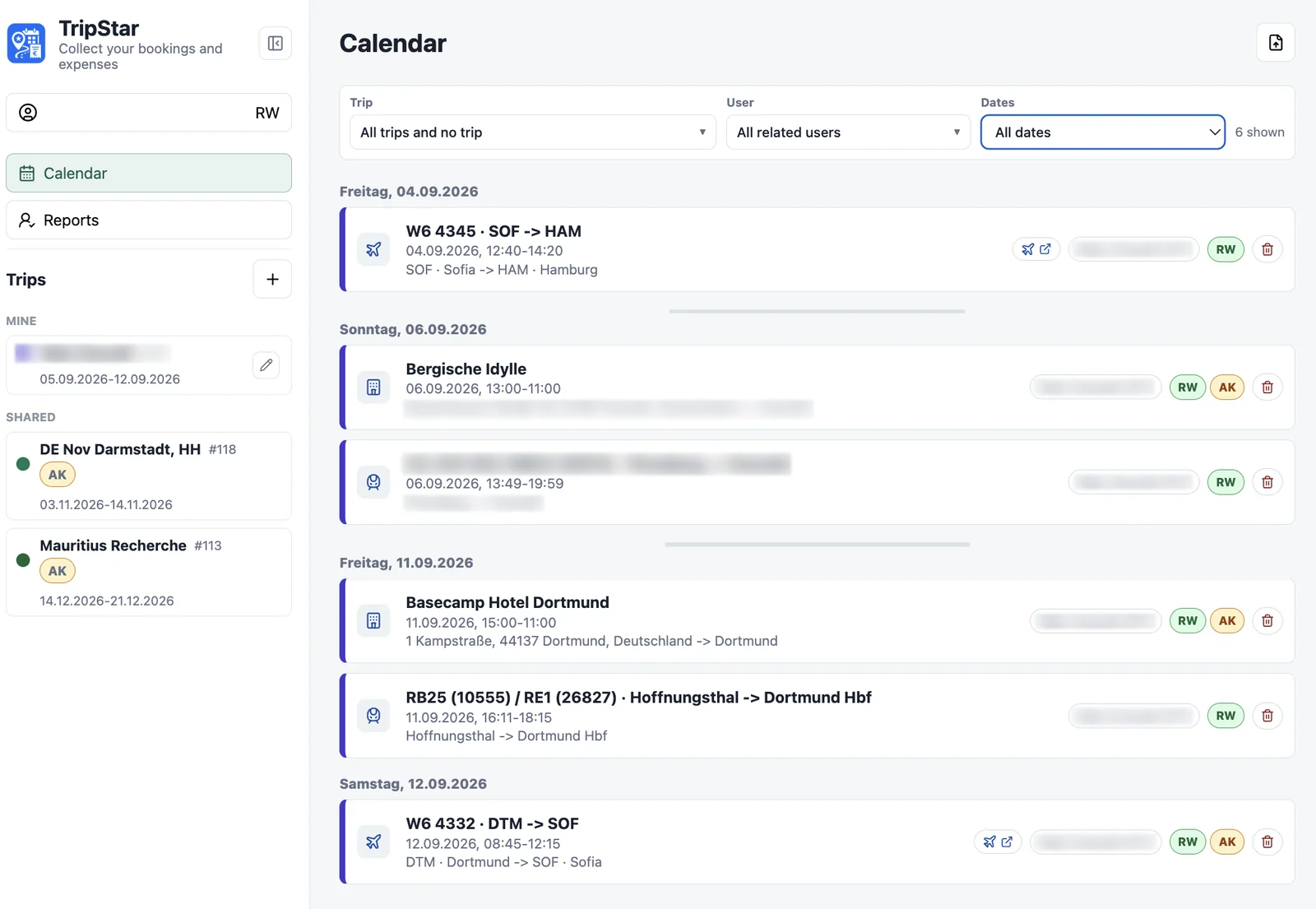
For every business trip we have to give our tax adviser a report: the days away with the daily allowance for each country, and the receipts, for example for hotel, train and flight.
We also wanted a simple overview of our bookings: to see in one calendar when we are where on which business trip, and for flights to see the current status at the push of a button, such as delays or the gate.
Who it is for
For ourselves, for every business trip.
What the app does
Forward receipts: We forward booking confirmations by email or invoices from the hotel straight to the app. It takes the information from the email and its attachments into its database.
Assign: We assign bookings to trips with a single click.
Calendar: All trips and bookings appear together in the calendar.
Report: At the end of the month we download the report for our tax adviser as a ZIP file. It contains the receipts and special tax forms – already filled in and signed. Nothing else to do.
How the app came about
After using the app TripIt, we built our own extended version, “TripStar”. It brings trip reports and the trip calendar together.
Designing online forms with AI
Starting point
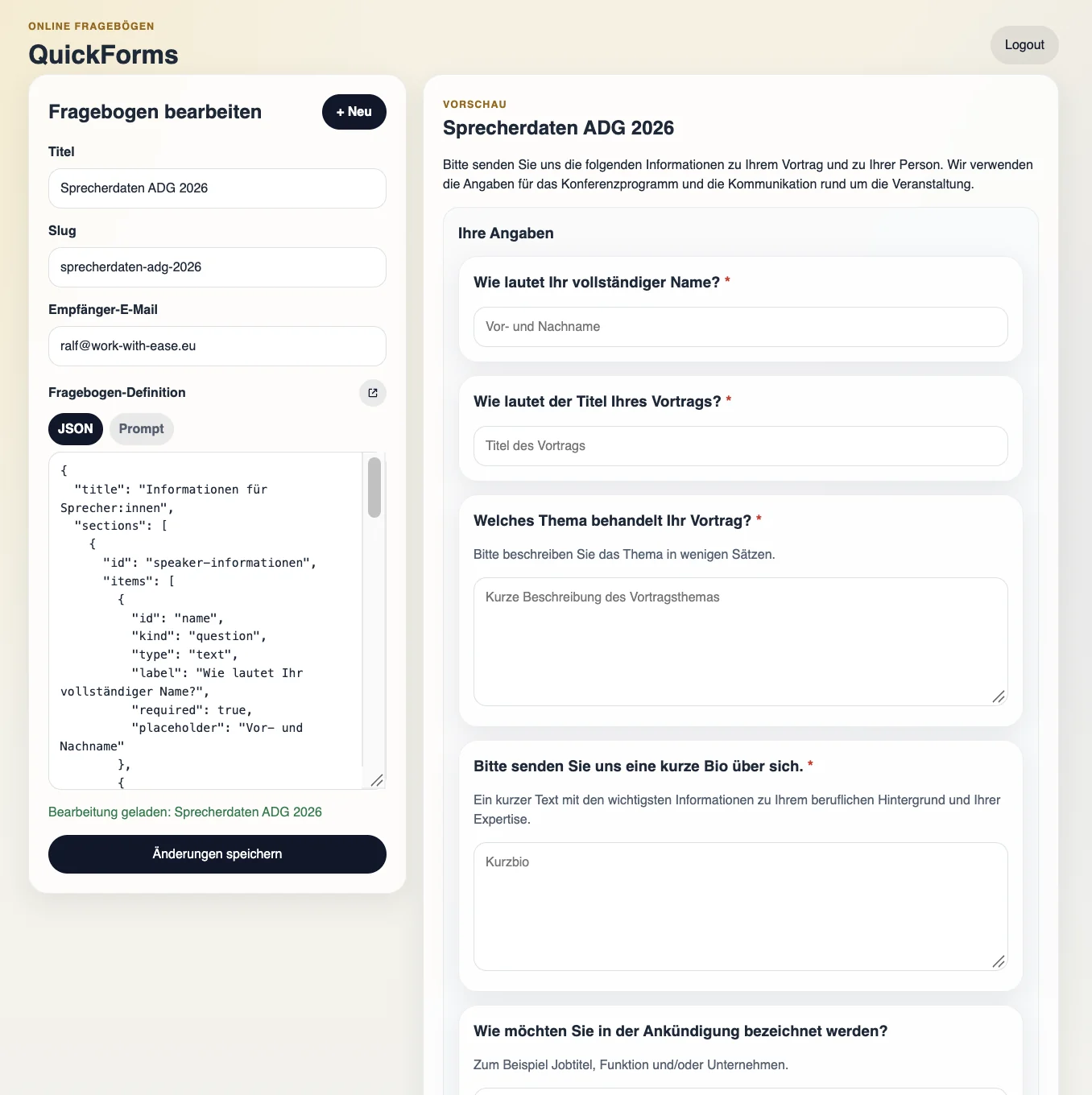
We used to build online forms with tools such as Google Forms, Jotform or Tally. But we wanted to be able to create them flexibly with AI.
Who it is for
For ourselves, whenever we want to survey other people.
What the app does
Describe the form: Either the person running the survey describes the form they want in the app in their own words, and it is created straight away. Or they work it out with another AI such as ChatGPT and paste the formal description into the app.
No need to know the format: AI can produce the description in JSON format very easily. All it needs to be told is which kinds of form fields exist. The person running the survey chooses from them in a conversation with the AI and doesn’t have to worry about the exact format.
Survey: Once the form is ready, a link goes out to the respondents. They fill in the form, and the person running the survey receives the answers.
Evaluate: At the end they copy all the answers into the AI of their choice and have them analysed.
How the app came about
“QuickForms” grew out of the wish to create online forms flexibly with AI. For us it replaces Google Forms, Jotform and Tally, is guaranteed to cost nothing to run and can be designed exactly as we like.
Finding a date as a group
Starting point
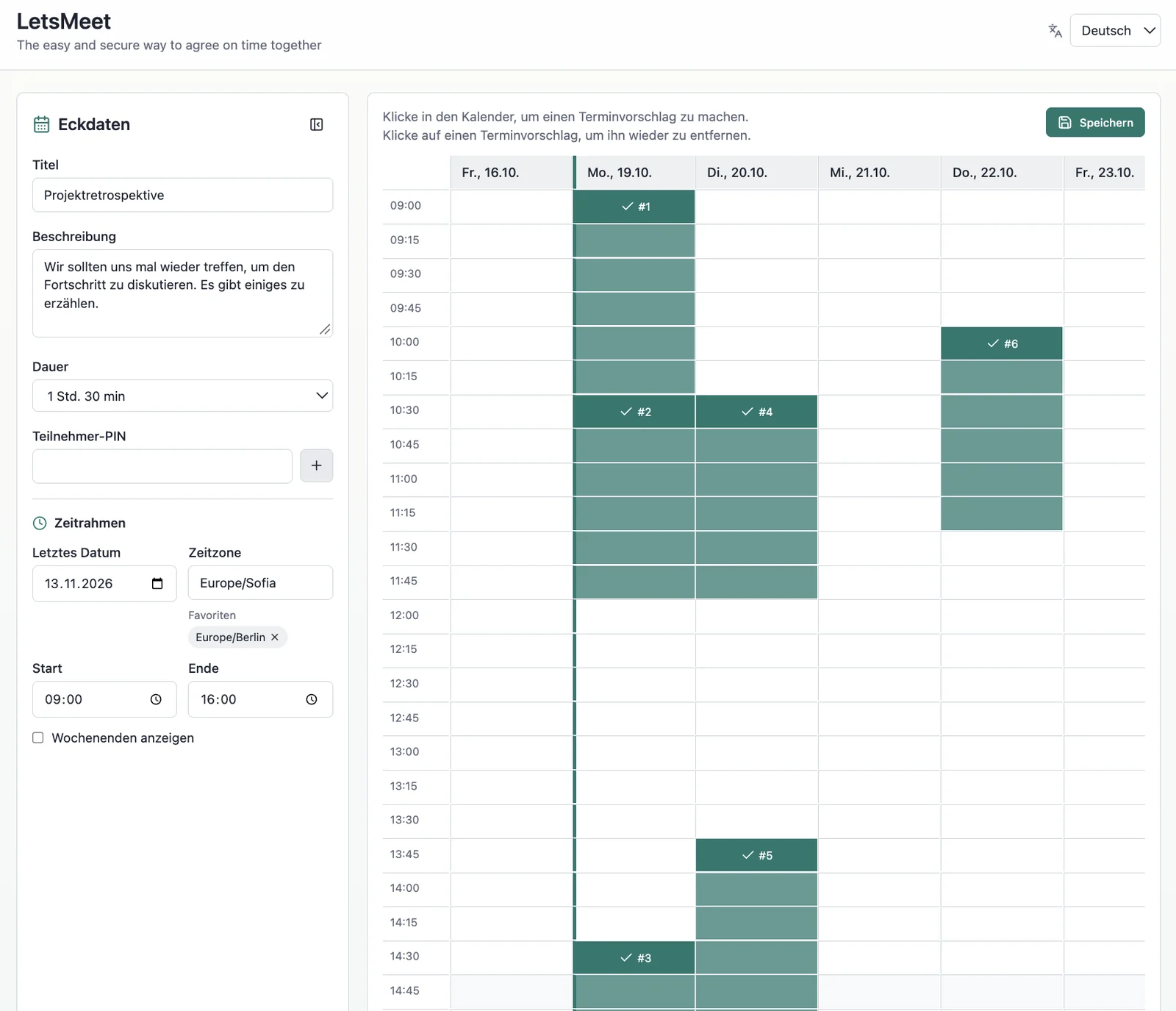
We used Doodle to agree on dates. But Doodle is no longer that simple and, above all, no longer free to use.
Who it is for
For anyone who wants to find dates with a group. Participants don’t have to enter any personal data.
What the app does
Suggest: The organiser sets a time frame for a meeting and suggests times within it.
Vote: Participants receive a link and pick the suggestions that suit them.
Review: The responses come together with the organiser, who can see which suggestions have the most support.
Decide: Finally, the organiser chooses as many suggestions as needed as the final dates.
A simple process that runs distributed and asynchronously between organiser and participants.
How the app came about
Out of frustration with Doodle, we built “LetsMeet”. It works like Doodle, but is free to run and sticks to the essentials.
Measuring and costing doors
Starting point
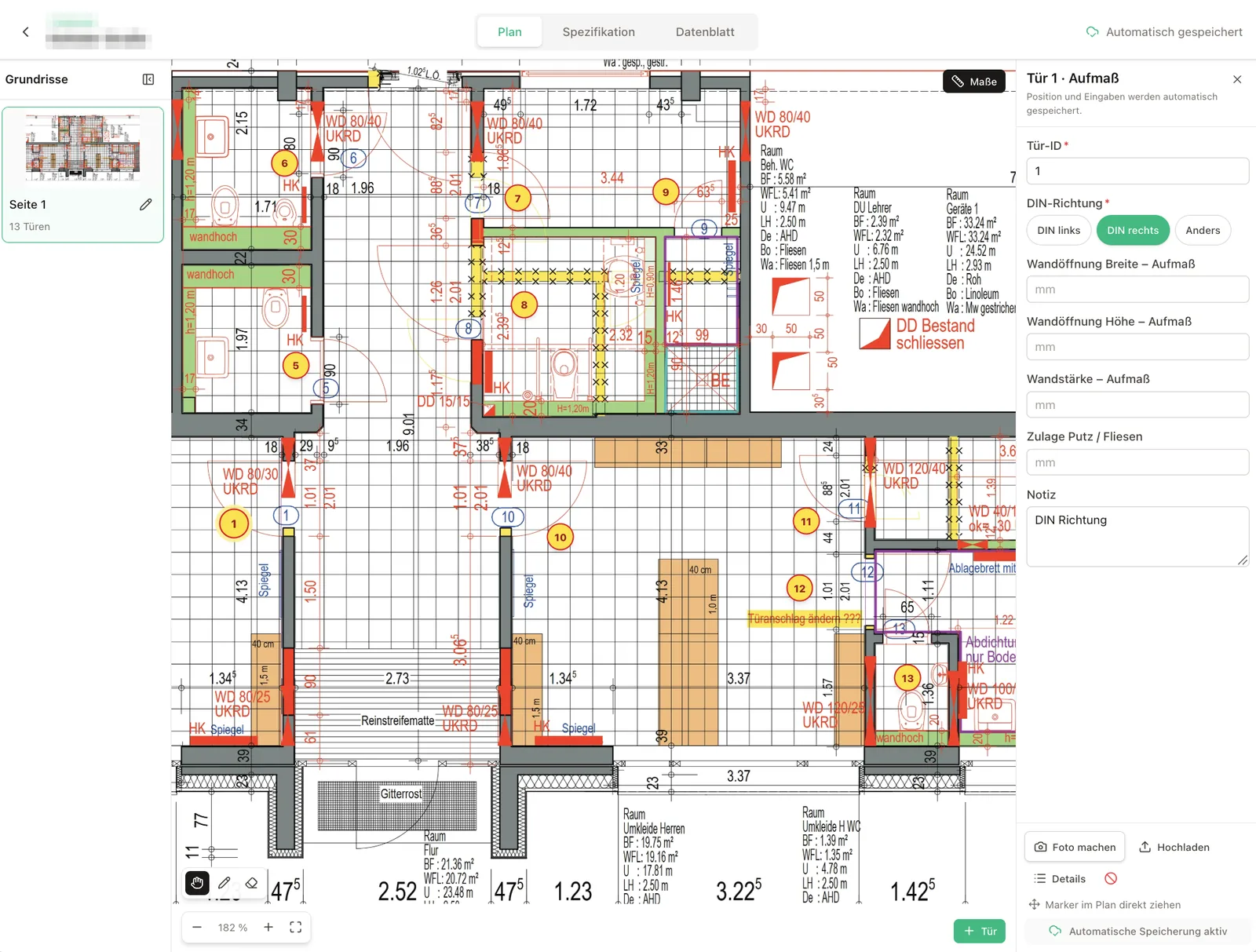
An order for many doors is handled in a door schedule. That door schedule used to be an Excel spreadsheet with 92 columns.
Who it is for
For the project manager who measures up the doors of an order, keeps the door schedule and coordinates with the architect.
What the app does
The project manager takes a Surface PC to the building site and records the measurements directly on the plan.
Later, back at the office, he completes the specifications in the door schedule at his leisure.
He shares the data sheets with the architect for approval.
How the app came about
As a tailor-made web application.
Answering webinar questions in an orderly way
Starting point
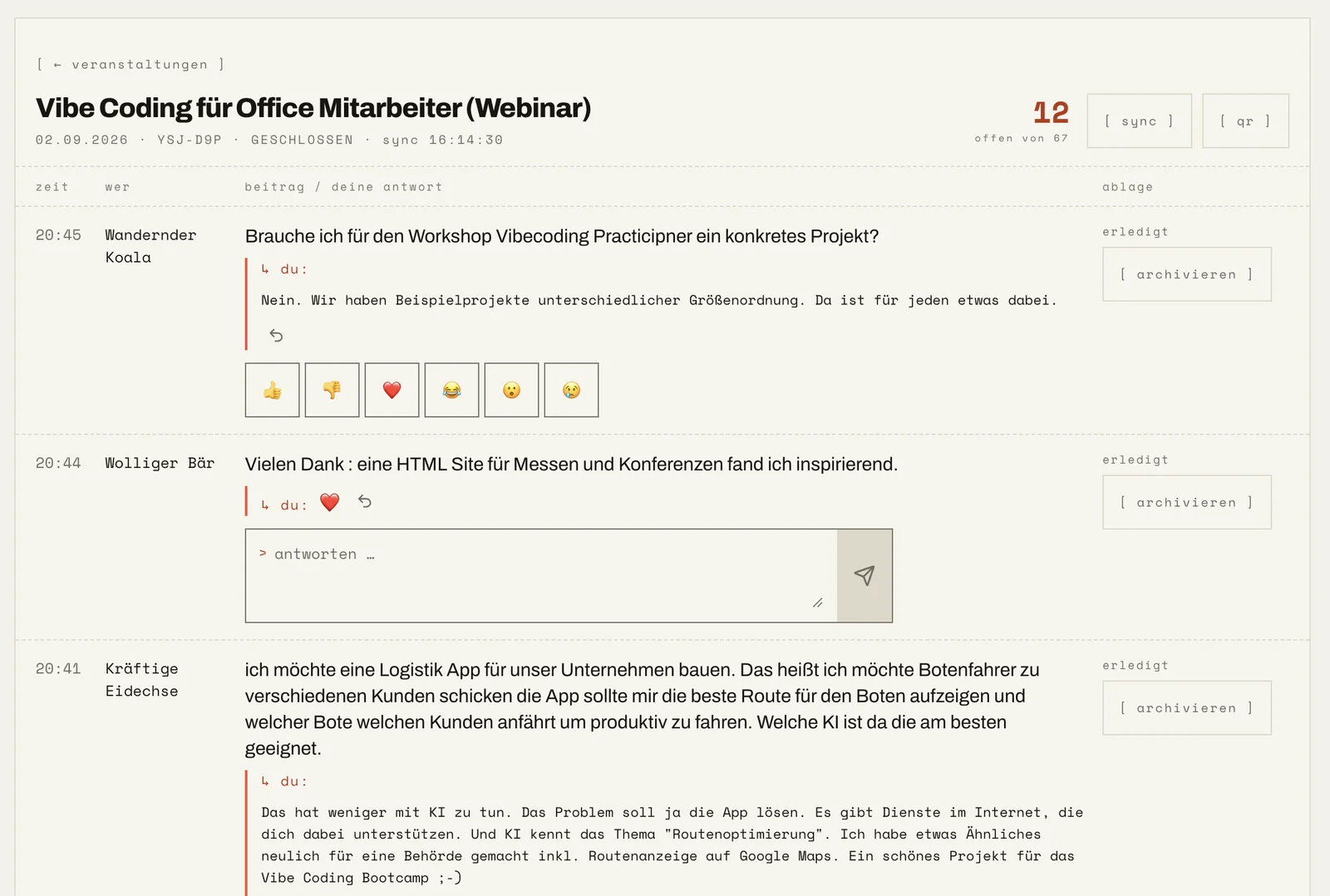
In webinars and other training sessions, participants often have questions, and speakers find it hard to keep track of them. In video tools such as Zoom or Teams, questions end up in the tool’s chat, where greetings, information, questions and answers all blur together. A tool for asking and answering questions in a focused way was missing.
Who it is for
For speakers at webinars, training sessions and presentations, and for their participants.
What the app does
Questions and answers instead of chat: No chat that invites small talk, just an interface for questions and answers.
Deliberately one to one: Participants ask a question, speakers answer it directly – in writing or in their talk.
Overview for the speaker: During the event, the speaker can have AI summarise the main topics and can see which participants ask more often.
Export: At the end, the questions can be exported together with the answers.
No sign-up: Participants are anonymous by default and don’t need to register.
How the app came about
To close this gap, we built the “Heckle App”, the app for interjections during presentations.
Deciding and prioritising as a group
Who it is for
For groups who want to decide together what to take on – even when they work apart and online.
What the app does
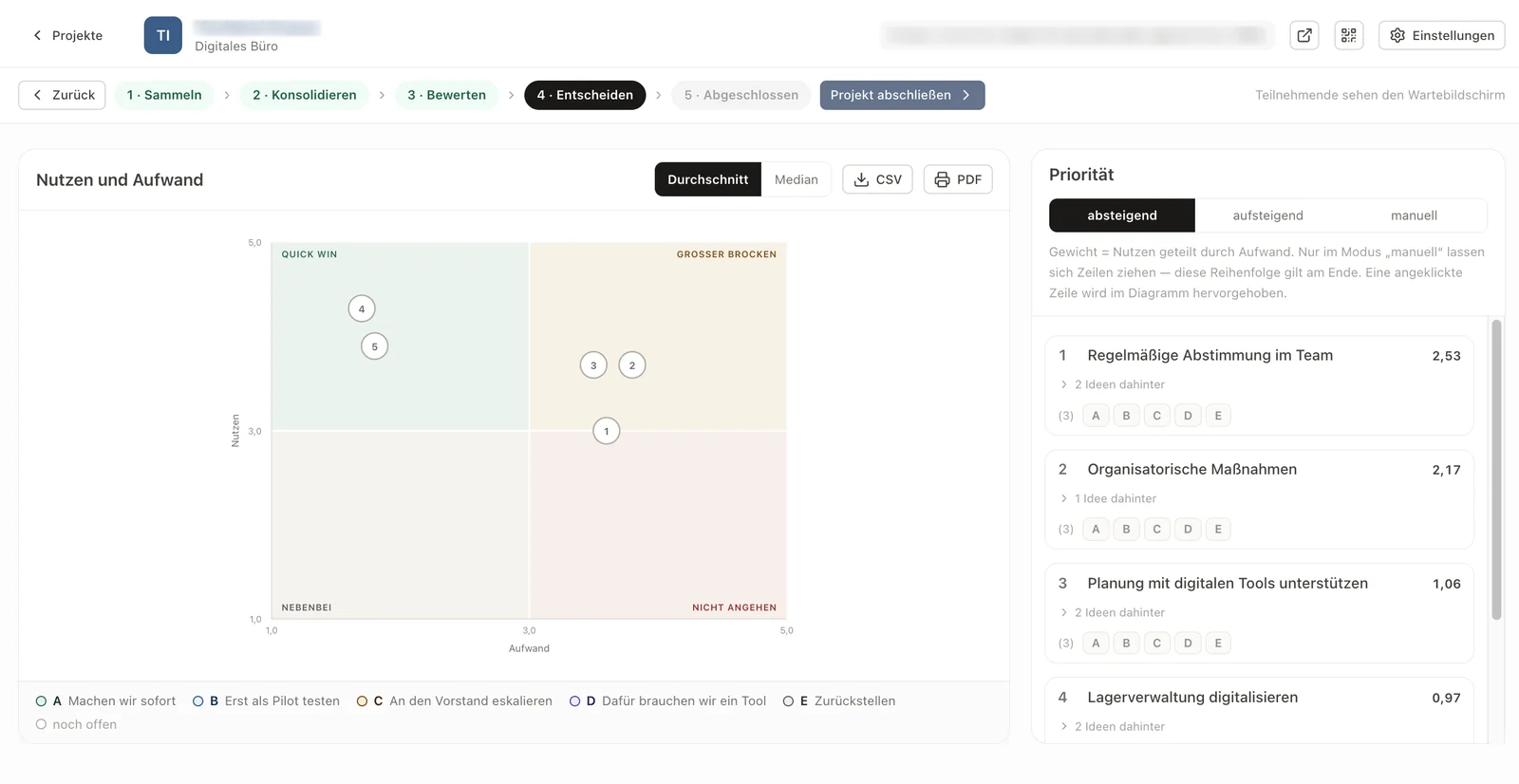
In stages: In several steps, group members decide which topics or tasks they want to take on.
Rate: They rate each area on two dimensions, benefit and effort.
Decide: At the end they make a choice, looking at all the results together.
Proven techniques: The Eisenhower matrix and “Weighted Shortest Job First” (WSJF) come together here.
Works remotely too: The app also works for groups who collaborate online.
How the app came about
We developed “Pitch and Pick” for a seminar at an insurance company.
Reporting, ordering and checking materials
Who it is for
For the customer service of a joinery: service technicians and the office.
What the app does
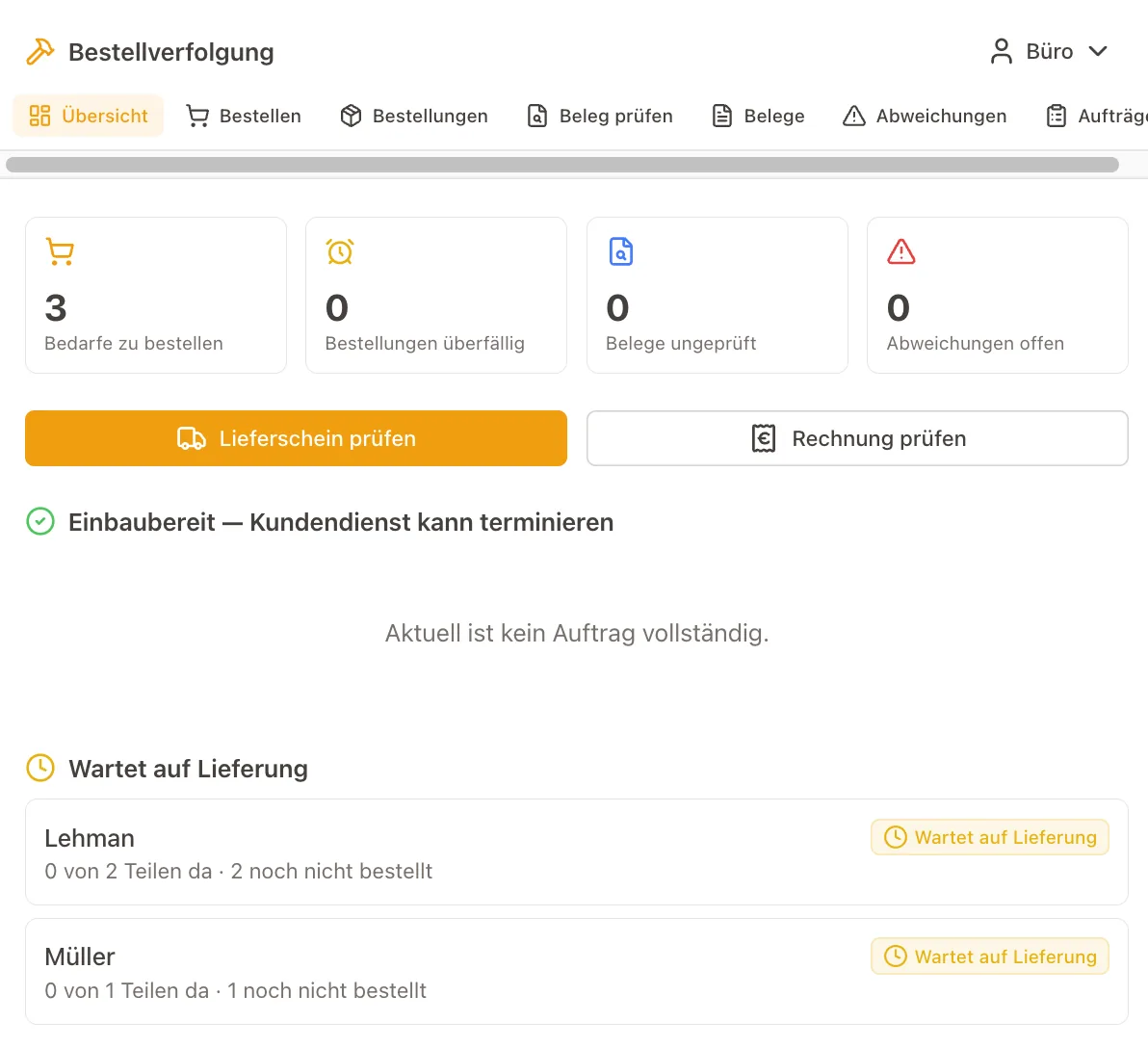
Service technicians report the material they need – on site or at the office.
The office orders centrally, including several jobs in one order.
The app matches order confirmations and delivery notes against the orders. The AI pre-fills, a person checks.
Once the material has arrived, the technician sees it on the job and can complete it.
How the app came about
As a tailor-made web application with AI.
Sharing work as a web page
Starting point
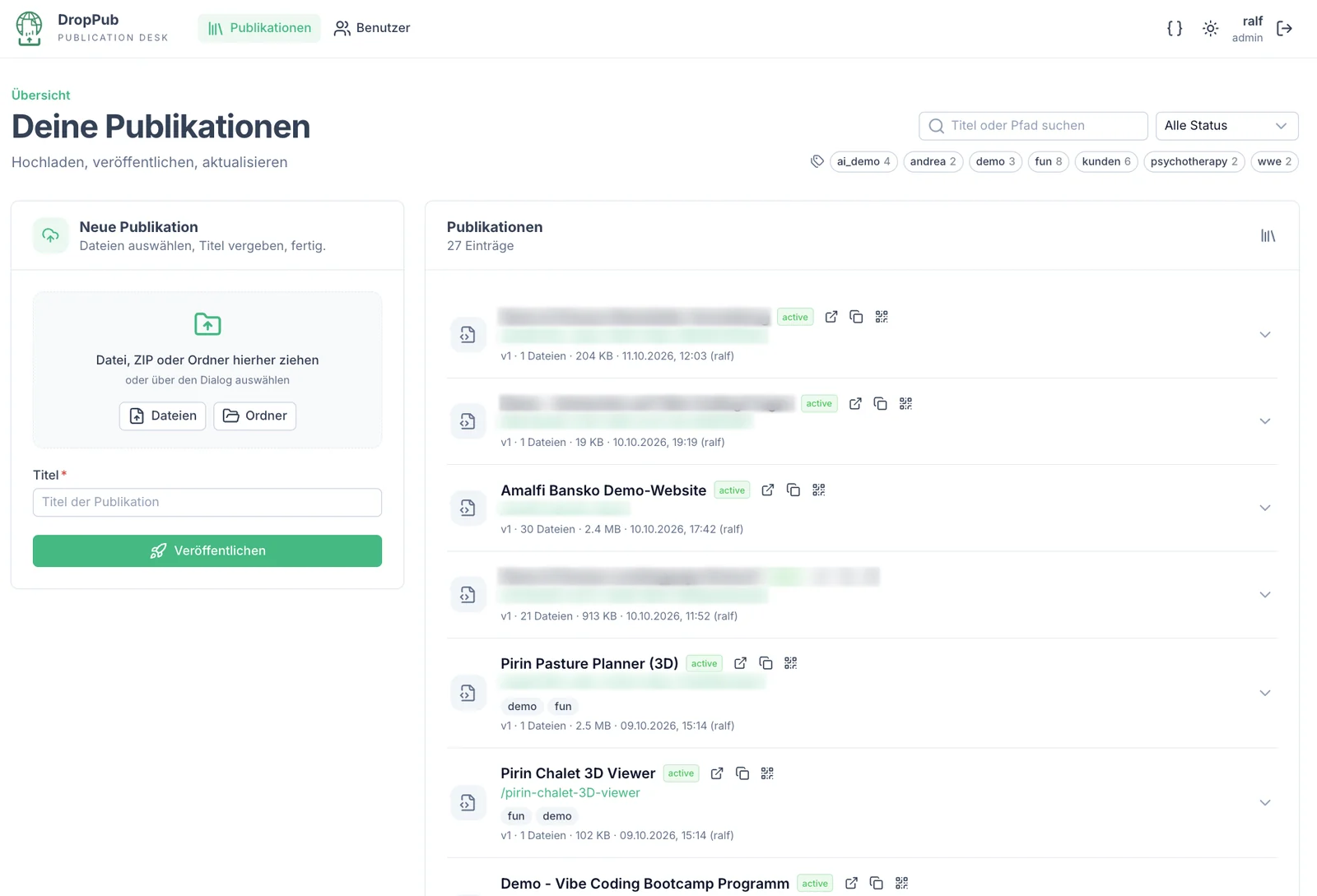
Since we started working a lot with AI, we create far fewer PDF, Excel or Word files. Instead we have AI generate HTML files that are more dynamic or even present information interactively. A browser can display them, and it is convenient for everyone to open them via an address on the internet.
Putting HTML pages and their data files on the internet for free is possible – but more cumbersome than quickly sending a PDF as an email attachment.
Who it is for
For ourselves, when we share our work.
What the app does
Drag and drop: We simply drag HTML files and their “attachments” into the browser. They are immediately available at their own address.
Protect: Pages can be protected with a PIN and given an expiry date.
This makes it very easy to share work that today is often no longer a static document, but a “micro app”.
How the app came about
With “DropPub” we solved a technical problem that only arose through the growing use of AI.
Running your own online community
Starting point
Our previous community platform, Mighty Networks, was too extensive, too hard to use and too expensive.
Who it is for
For our community around the digital office and for the participants of our seminars.
What the app does
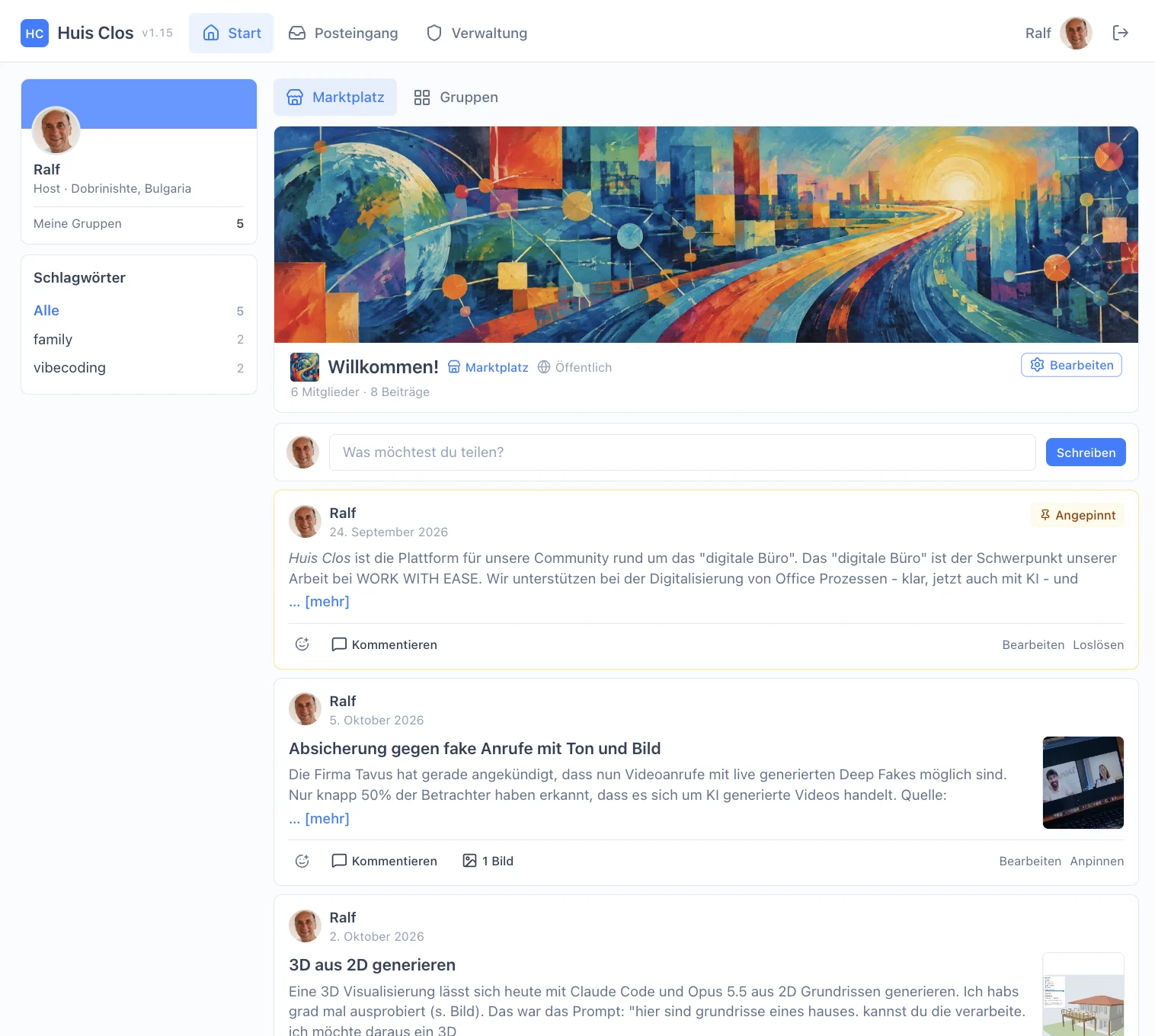
Marketplace: a central public feed where all members of the community can post.
Groups: for particular topics or for the participants of seminars.
Posts: with Markdown and images, plus reactions (likes) and comments.
Few notifications: The app notifies people about posts and reactions only very sparingly, so nothing feels like spam.
No password: An email address is all it takes to sign up. Nobody has to remember a password; signing in works with one-time codes (OTP).
The app is more focused and simpler than Mighty Networks, and closer to what users know from LinkedIn.
How the app came about
It grew out of our dissatisfaction with Mighty Networks. We now find it a great advantage to be independent of large providers: we control the features and the look ourselves, and running our own community costs us nothing.
Configuring shelving right in the invoice
Starting point
Trusted trade software for craft businesses – it lacked just one thing: a complex costing.
Who it is for
For a trade business that works with the Mein Handwerker software.
What the app does
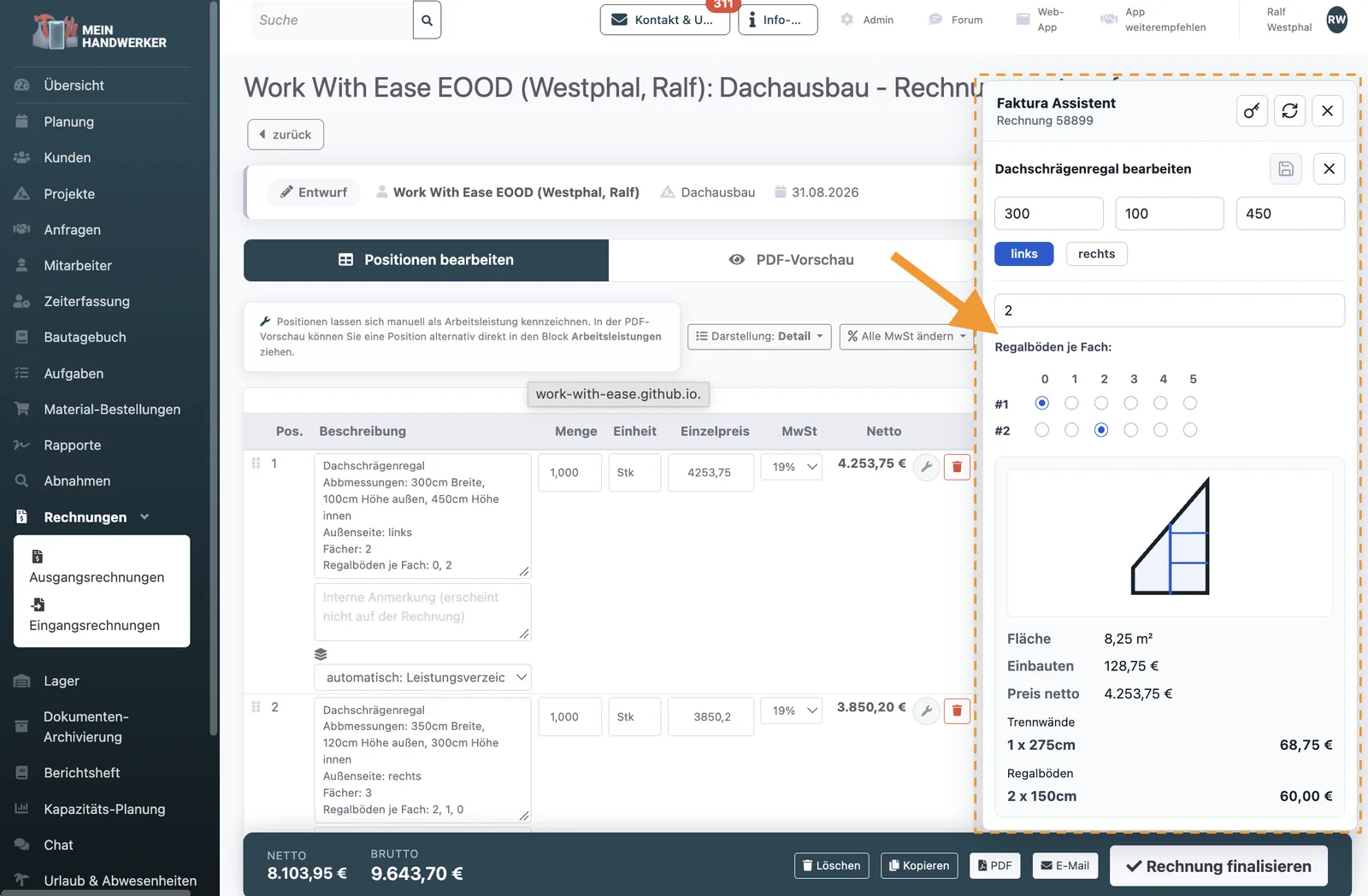
An assistant plugs straight into the invoice: enter dimensions, compartments and shelves, and the area, fittings and price are worked out.
The result lands in the invoice as a finished line item.
How the app came about
Instead of switching software, we extended it: as a browser extension. Possible because Mein Handwerker (mein-handwerker-app.de) runs in the browser and has a programming interface.
Learning languages with your own texts
Starting point
To our taste, the usual language-learning apps have several drawbacks: they are too playful, move at the wrong pace, offer too few explanations and only limited exercises – and they are expensive.
Who it is for
For ourselves. Our own language-learning app “Trisent” has replaced Duolingo, Babbel, Busuu and others.
What the app does
Trisent follows the principle “Learn the way you like!”:
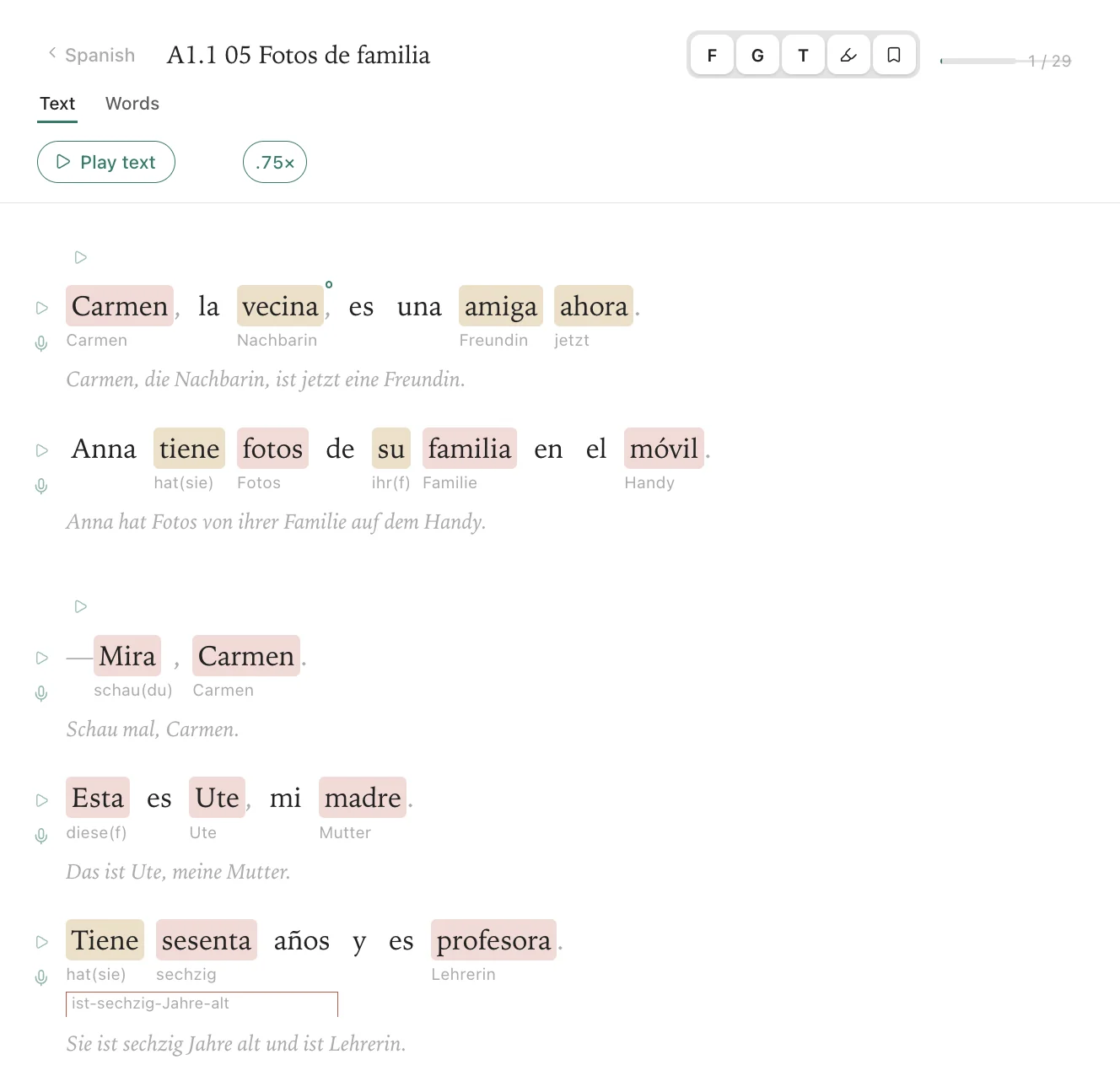
Your own texts: You learn with texts you enjoy. They can come from books or be generated by AI, at the language level you need.
Known and new: In every text the app shows which words you already know and which are new. Translations can be shown or hidden.
Exercises: There are many exercises that work with the texts.
Listening and speaking: You can have texts read aloud or repeat them yourself.
Explanations: There is an explanation for every word. If you want to know more, you can bring in AI.
For any language: New texts are first prepared in a separate module before they go into the learning section. This keeps the vocabulary growing consistently.
How the app came about
The app runs in an Obsidian vault, on the desktop and on the smartphone. We chose Obsidian as the basis so that it is easy to use on different devices and also works offline.
Recording and billing care time
Who it is for
For the carers of a shared home for people with disabilities.
What the app does
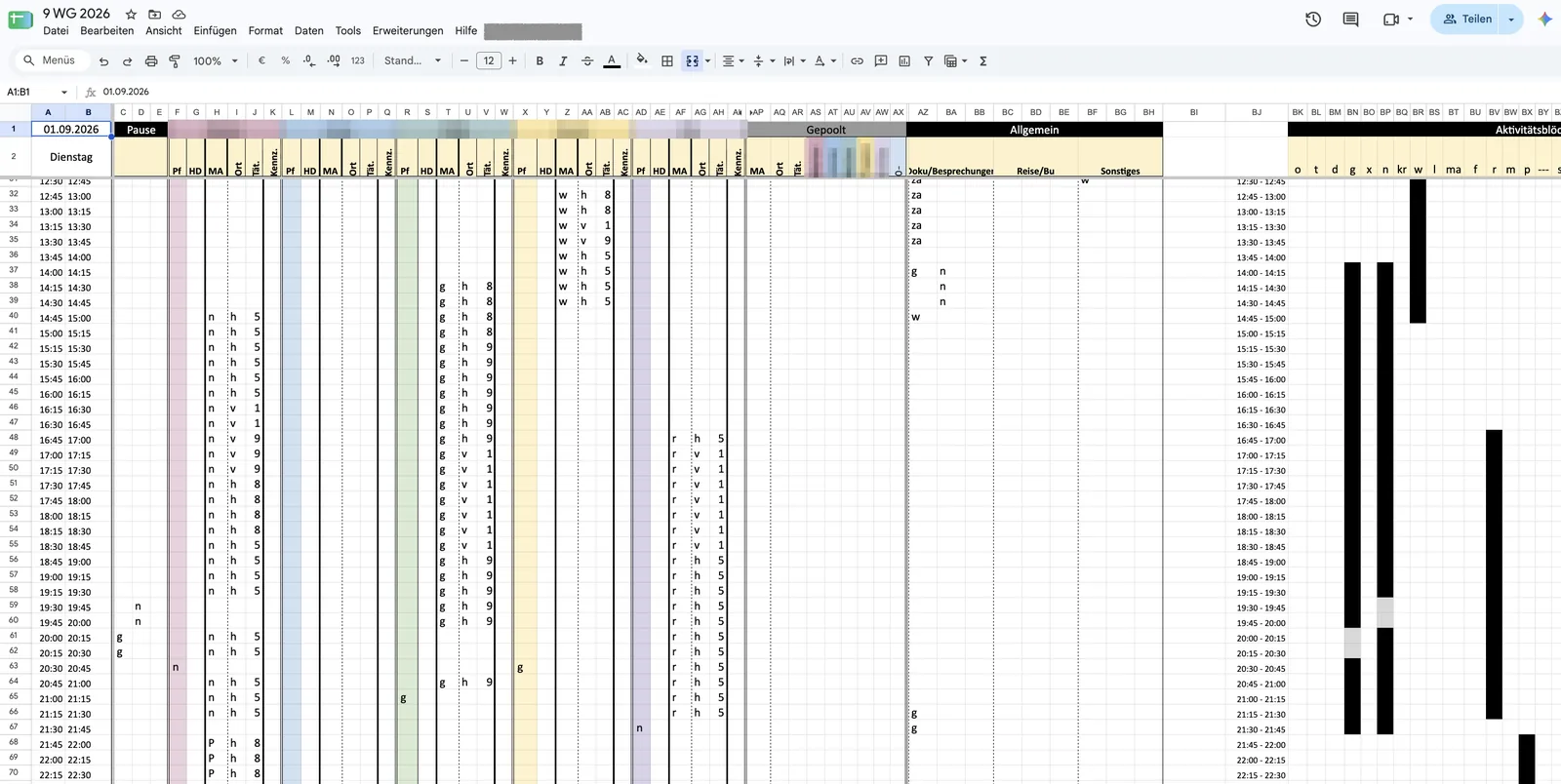
The carers enter their activities in fine detail over the day – for individual residents or for groups.
The spreadsheet spots clashes and inconsistencies by itself.
At the end of the month, the service records for the funding bodies are produced.
How the app came about
Deliberately built as a Google Sheets application: at the start the processes weren’t clear yet, and a lot of flexibility was needed.
Keeping track of AI agents
Starting point
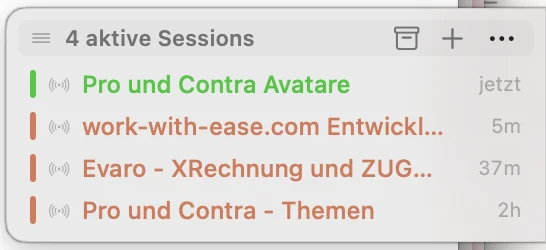
When developing with AI agents, it is easy to lose track. Sessions run in several AI assistants such as Claude Code or OpenAI Codex, and you jump back and forth between them to give feedback now and then. Once you are distracted, it is hard to remember everything you had started.
Who it is for
For ourselves, when we develop with AI agents.
What the app does
Overview: The dashboard quickly shows which AI assistants are working on which topics.
Automatic: The AI agents’ sessions appear by themselves and disappear again when inactive.
Unobtrusive: The dashboard sits at the edge of the screen and doesn’t get in the way of other work.
How the app came about
As a response to the new way of working with AI. We hardly use AI in the browser any more, where tabs give a certain overview. The new AI assistants needed a solution of their own.
Working with focus using a timer and Pomodoro
Starting point
Our previous timer app wasn’t very convenient to use.
Who it is for
For ourselves.
What the app does
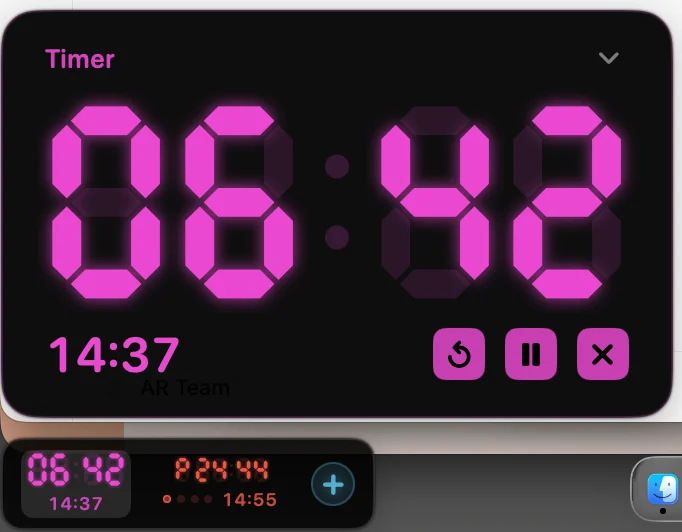
Egg timer: the usual timer function.
Pomodoro: On top of that there is a Pomodoro timer that helps you work with focus.
Honest counting: Unlike most, it also counts cancelled intervals.
At the edge of the screen: The app sits conveniently at the edge. It doesn’t get in the way and shows what matters while timers are running.
Turning PDF invoices into XRechnung e-invoices
Starting point
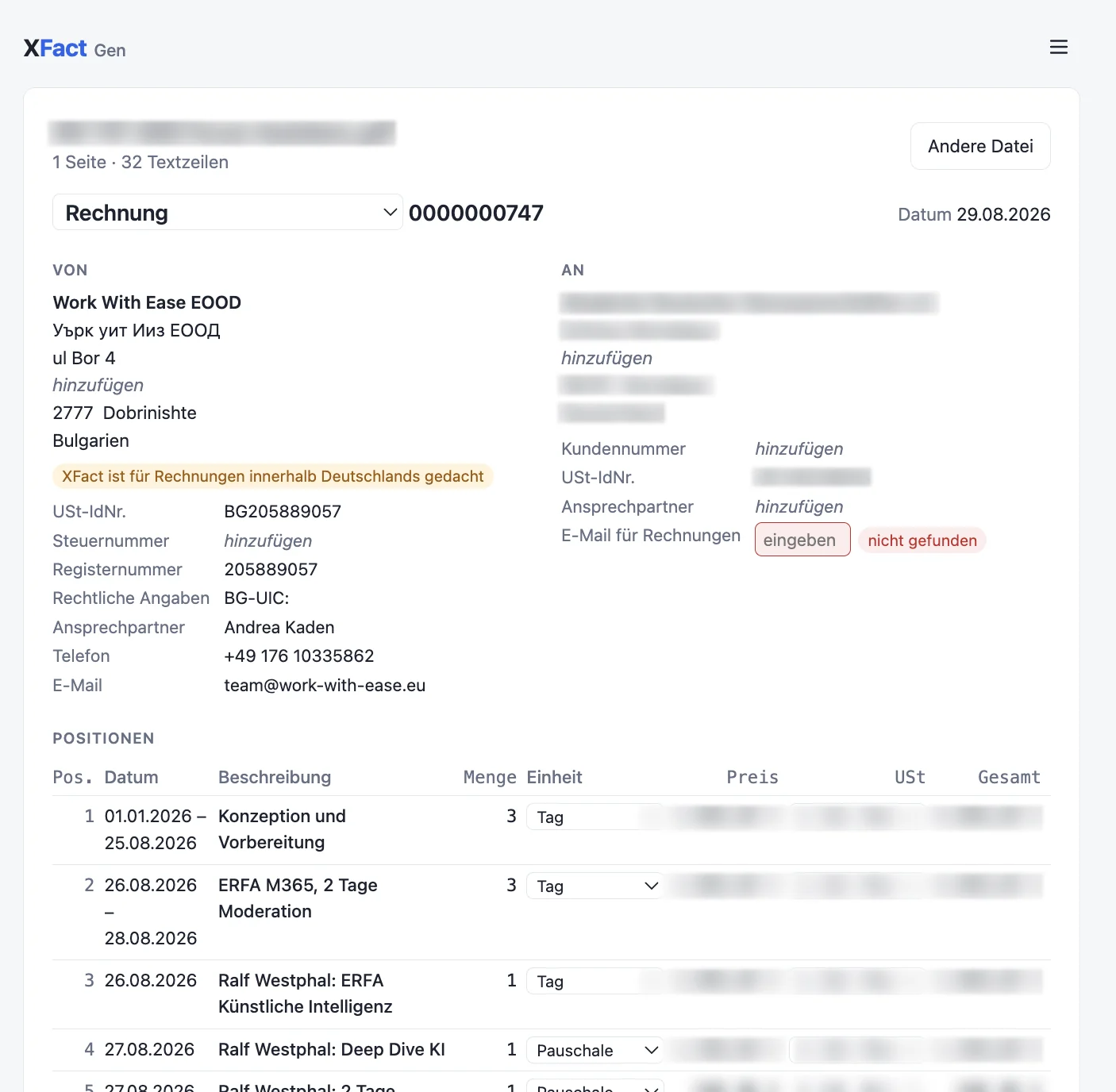
Soon, companies in Germany will have to issue and accept electronic invoices in machine-readable form. There are standards for this, such as XRechnung.
But not every company already works with invoicing software that can do this. Some still write their invoices in Word or Excel.
Who it is for
For companies that still write their invoices without invoicing software, for example in Word or Excel.
What the app does
From PDF to XRechnung: XFact turns an ordinary PDF invoice into an XRechnung.
From XRechnung to PDF: It also works the other way round, turning an XRechnung into a PDF.
On the web or on your own computer: XFact runs in the browser and also on your own machine.
With AI: XFact needs the help of AI for the conversion. For this you get an API key from OpenRouter. The analysis then costs around one cent per invoice.
XFact came about after we had made our own invoicing software, Evaro, ready for XRechnung.
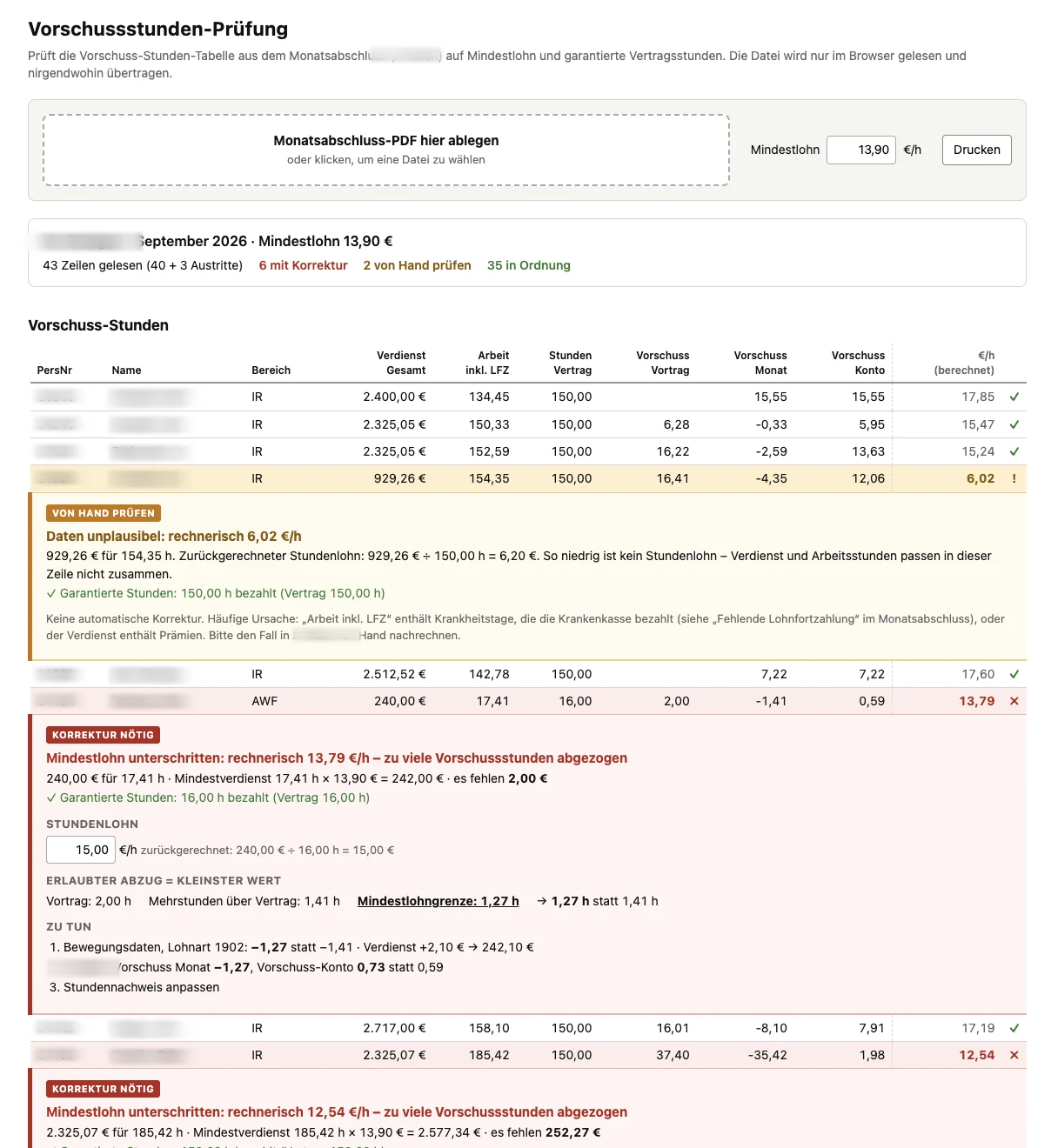
Spotting payroll errors straight away
Starting point
Every month, the payroll team had to search tables in PDF files by hand for miscalculations. The corrections then had to be entered in a DATEV program.
Who it is for
For the payroll department of a medium-sized company.
What the app does
Load the PDF: The PDF is simply loaded into the app, and problem cases are shown straight away.
Diagnosis: For each problem case, the app suggests what the cause might be.
Overview for the correction: The member of staff can see at once what needs correcting where in DATEV.
This solves the first of the two problems. Fewer errors, and tedious work done faster – that is what this micro app delivers.
How the app came about
Technically, the app is very simple: an HTML page on the employee’s computer. They double-click it and then load the PDF into it. The file is only read in the browser and is not sent anywhere. The IT department did not need to be involved for this tool.