Case studies

This is what it looks like
when it works.

Ten cases from our work: tools we have built and changes we have supported. Actually implemented – and part of everyday work.

  1. 01Medium-sized companyTried for years. Done in one.
  2. 02Medium-sized company92 columns of Excel. Now an app.
  3. 03Medium-sized companyFirst one department. Then the whole company.
  4. 04Small businessMaterial requested. Ordered. Checked.
  5. 05Small businessProcesses first. Then the software.
  6. 06Small businessThe industry software can do more now.
  7. 07Small businessThe whole business. Digital.
  8. 08Small businessEvery quarter of an hour recorded. The billing writes itself.
  9. 09Small businessTired? Far from it.
  10. 10CorporationTonnes less paper.

In good company.

Some of the companies and organisations we have worked with.

KPV GmbHBubos Physiotherapie

01Medium-sized companyPayroll department of a large car wash chain · Document management

Tried for years. Done in one.

The head of payroll had been trying to go digital for years – it never worked. Together we managed it within a year: everything that used to be processed, passed back and forth and filed on paper is now digital.

  • Processes examined closely and improved.
  • A professional document management system introduced.
  • No more paper is produced internally; paper from outside has been reduced and has largely disappeared.
  • Re-sorting and big filing sessions at the end of the year are a thing of the past.
  • The team contributes its own ideas and now uses AI too.
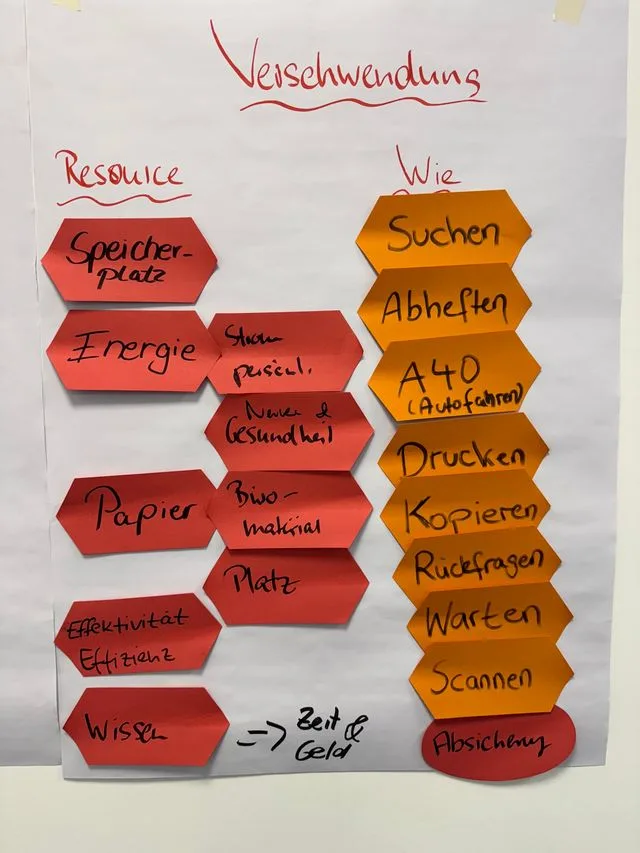
Flip chart ‘Waste’: resources such as paper, energy and knowledge, next to activities such as searching, filing, printing, copying, follow-up questions and waiting
Finding waste
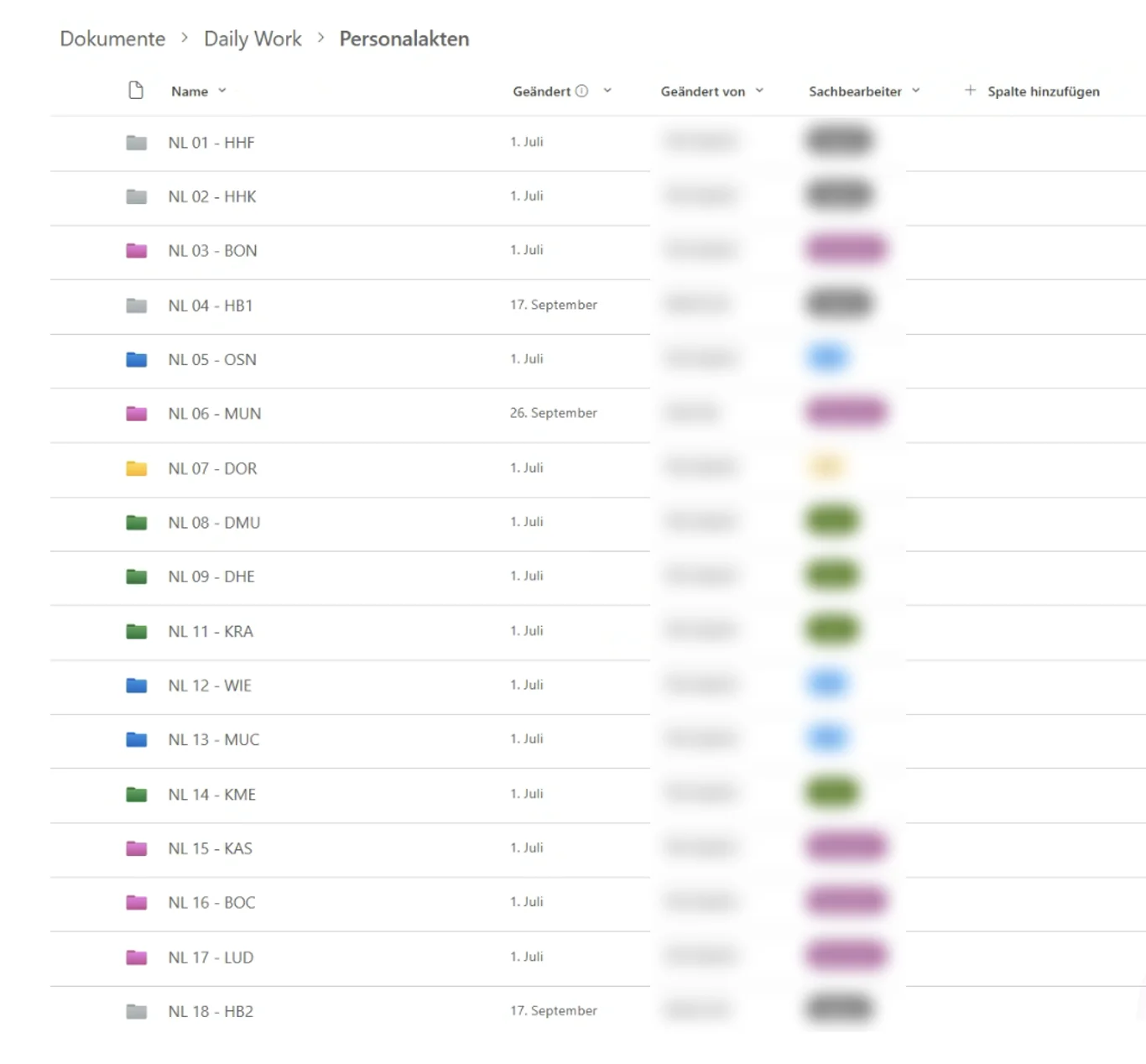
Document library with personnel files for each branch, colour-coded by the responsible clerk (names made unrecognisable)
Digital personnel files

A boss who gives you free rein helps enormously.

02Medium-sized companyExcel spreadsheet replaced · Web application

92 columns of Excel. Now an app.

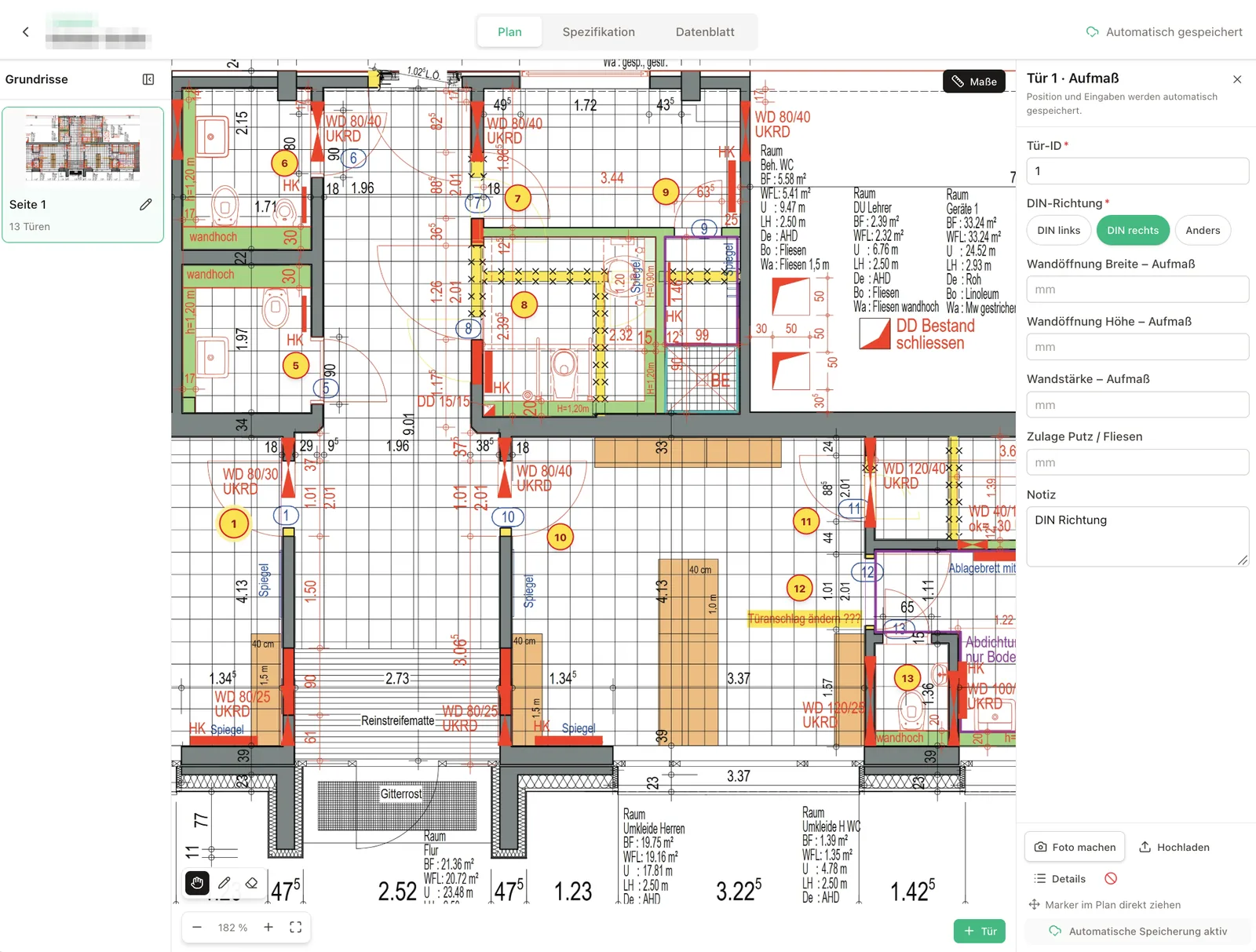
An order for many doors is handled in a door schedule. That door schedule used to be an Excel spreadsheet with 92 columns. Today a tailor-made application does the job – from site measurements to the data sheet.

  • The project manager takes a Surface PC to the building site and records the measurements directly on the plan.
  • Later, back at the office, he completes the specifications at his leisure.
  • He shares the data sheets with the architect for approval.

The app in detail

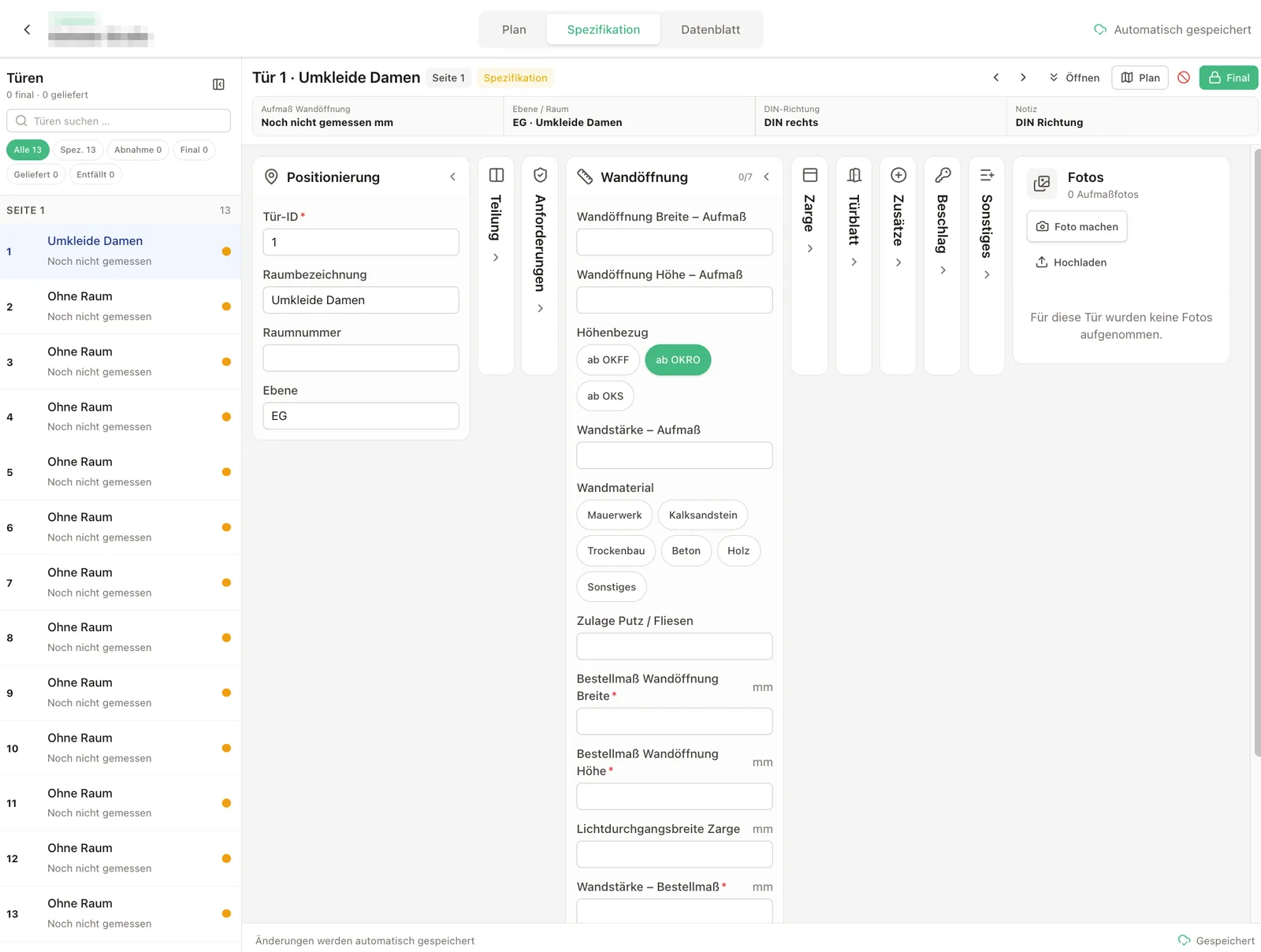
Building plan with numbered doors, on the right the form for measuring door 1
Plan
Door schedule with input fields for wall opening, frame, door leaf and fittings
Specification
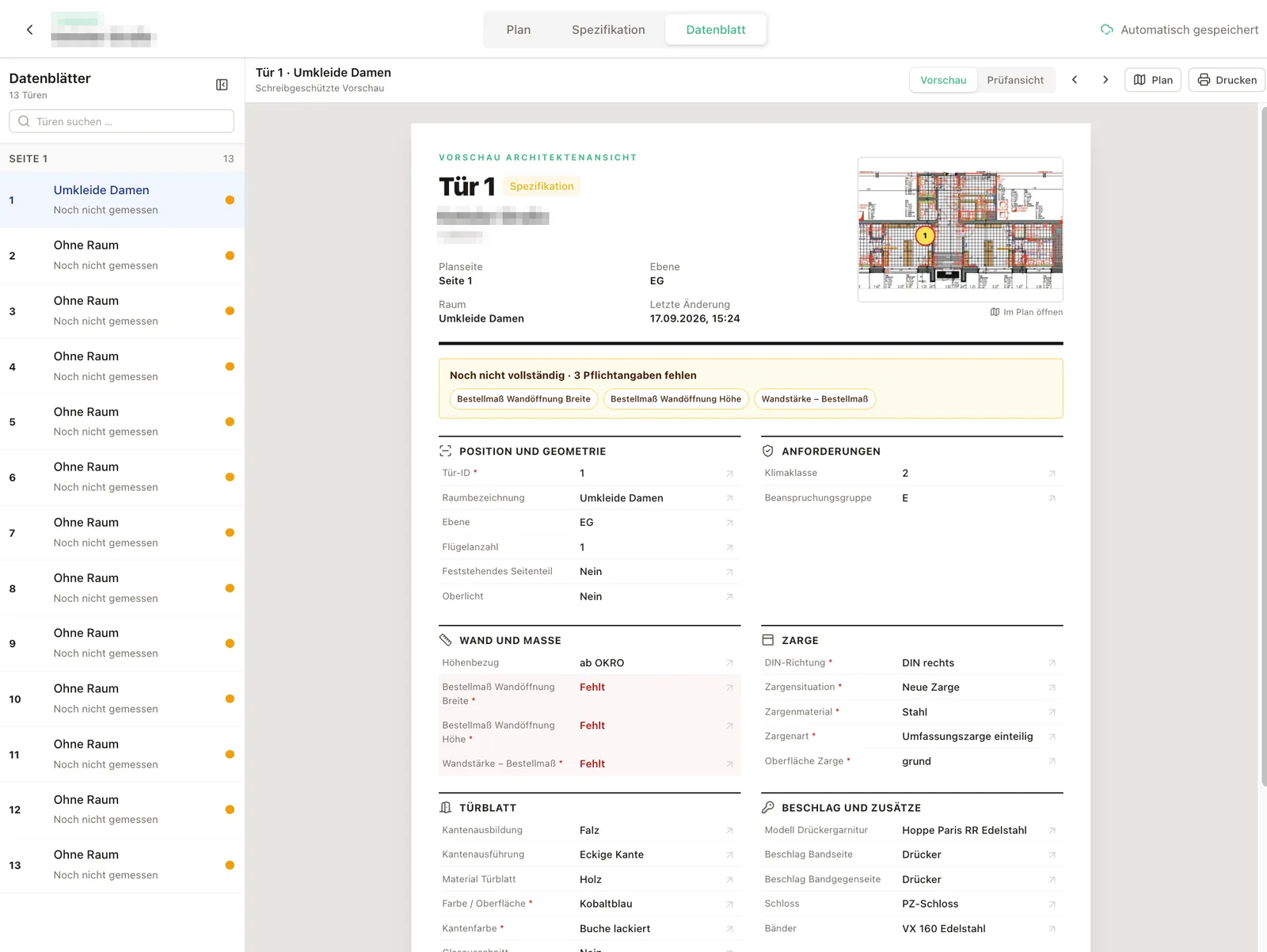
Data sheet for a door in the architect view, flagging missing required details
Data sheet

Goodbye, column 92.

03Medium-sized companyFacility management for business and pharmaceutical parks · SharePoint introduction

First one department. Then the whole company.

One department wanted to move away from folders and drives on the file server – to SharePoint.

  • Training came first, so that everyone understood the advantages and limits of SharePoint.
  • Then we built the new structure together – with an eye on what SharePoint can do beyond a drive – and introduced it with ground rules.
  • That won people over: today the whole company keeps its documents in SharePoint, with its own sites, libraries and ground rules for each department.
  • The result: more transparency, less version chaos, information changed and shared faster.
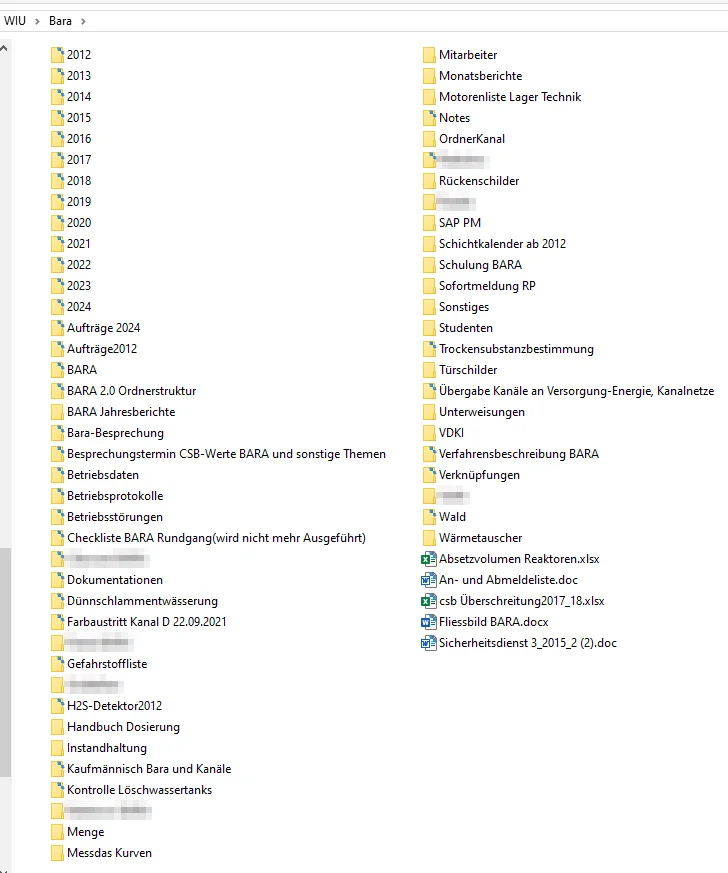
One department’s folder on the file server: year folders, people’s names, topics and individual files all mixed up (names made unrecognisable)
Before: one department
Project folder with over 80 inconsistently named subfolders and many loose files (names made unrecognisable)
Before: projects

SharePoint site Water & wastewater

  • Treatment plant operations
    • Operations manual
    • Operating logs and faults
    • Processes and dosing
  • Sewer network and wells
    • Plans
    • Inspection reports and sampling
  • Projects
    • Current projects – one folder per project
    • Completed projects
  • Permits and authorities
    • Permits and records
    • Contracts
  • Health and safety
    • Safety briefings
    • Hazardous substances and emergencies
  • Team and organisation
    • Meetings
    • Shift plan
  • Archive – read only

Ground rules

  • Three levels at most
  • Year as a column, not a folder
  • Versions instead of copies
  • No folders named after people
After (schematic)

Less version chaos.

04Small businessCustomer service at a joinery · Web application

Material requested. Ordered. Checked.

For a joinery’s customer service jobs we built a tailor-made app: from the request for material to the completed job.

  • Service technicians report the material they need – on site or at the office.
  • The office orders centrally, including several jobs in one order.
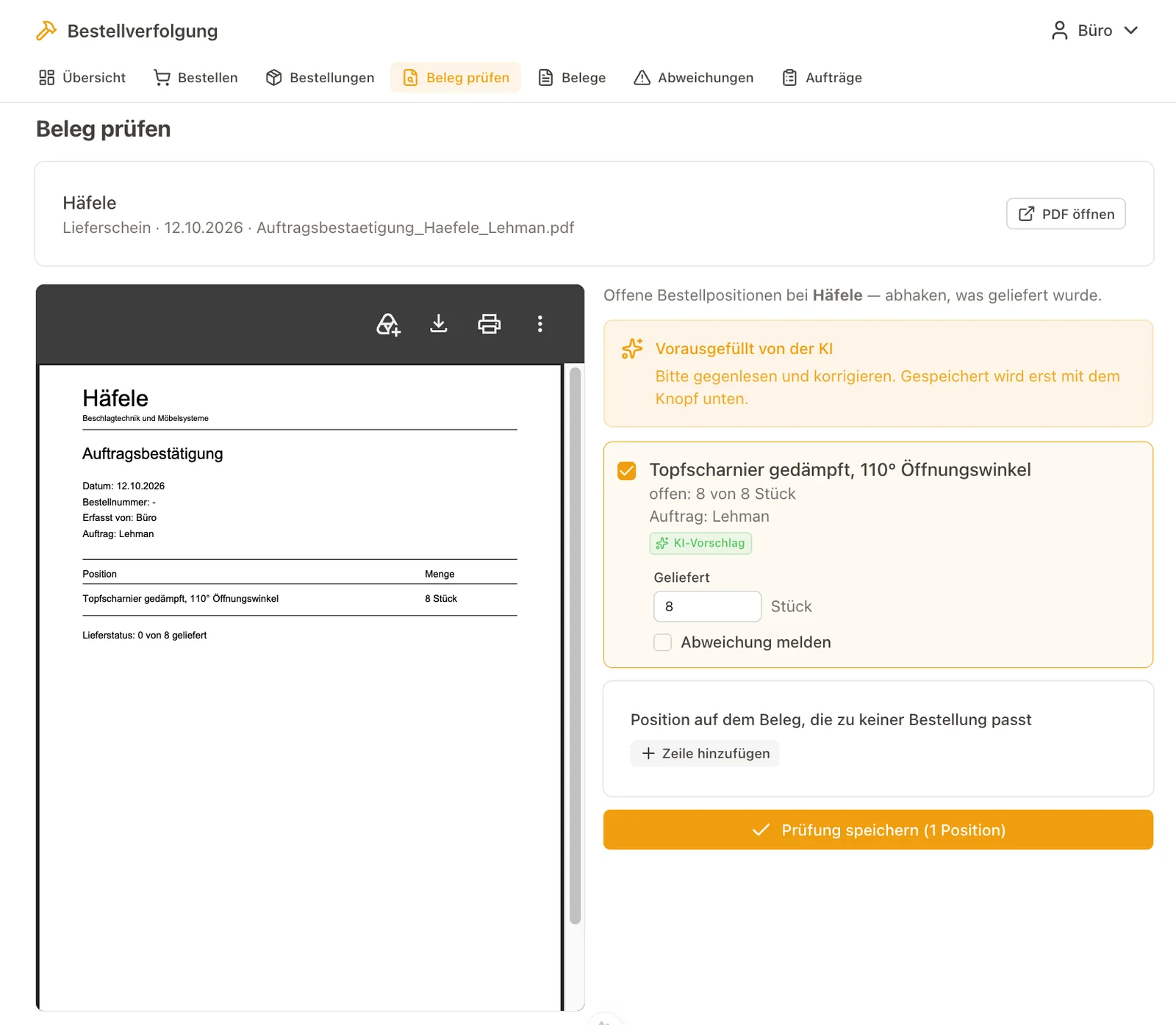
  • The app matches order confirmations and delivery notes against the orders. The AI pre-fills, a person checks.
  • Once the material has arrived, the technician sees it on the job and can complete it.

The app in detail

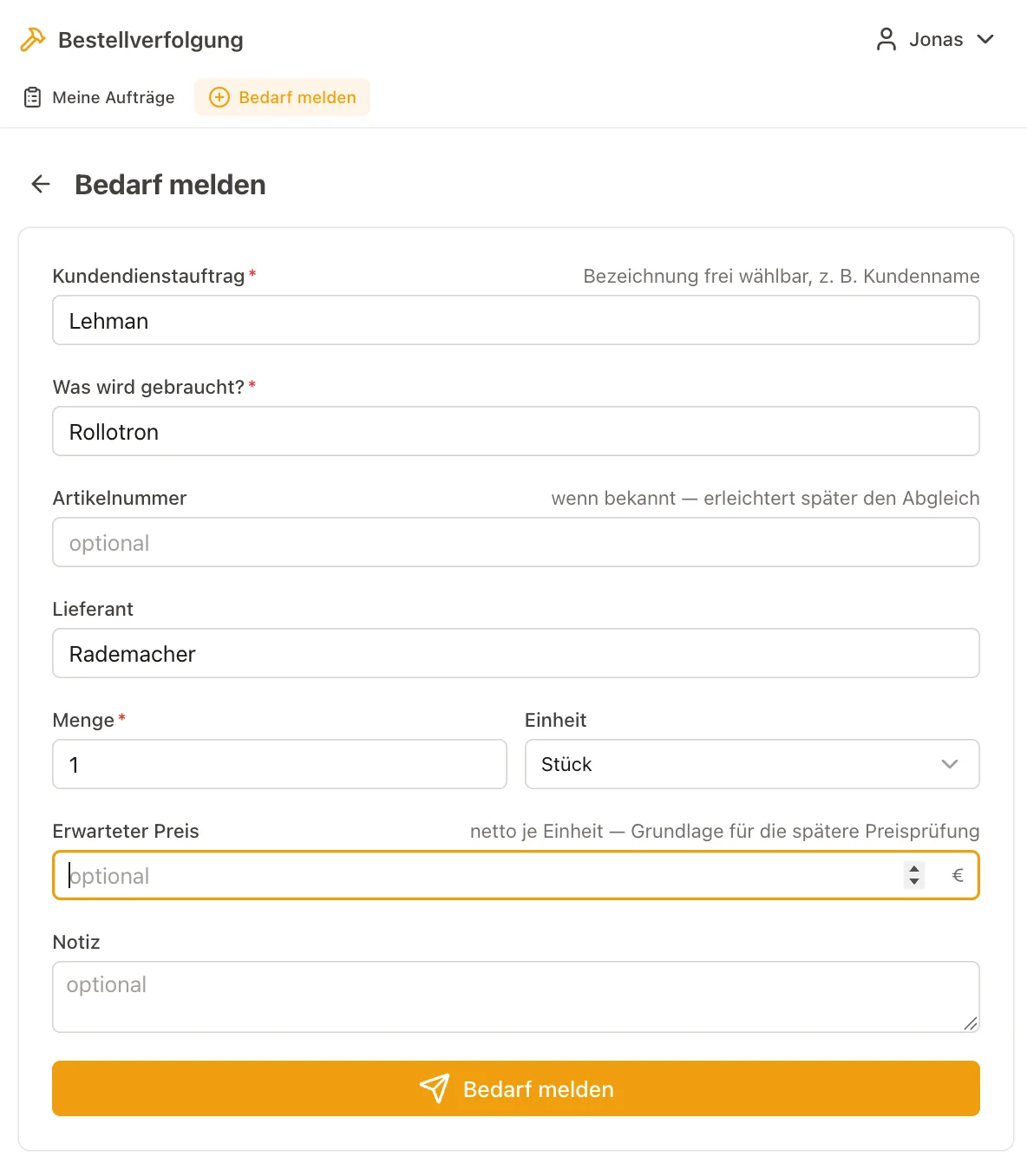
Form for reporting a material need with job, item, supplier and quantity
Report a need
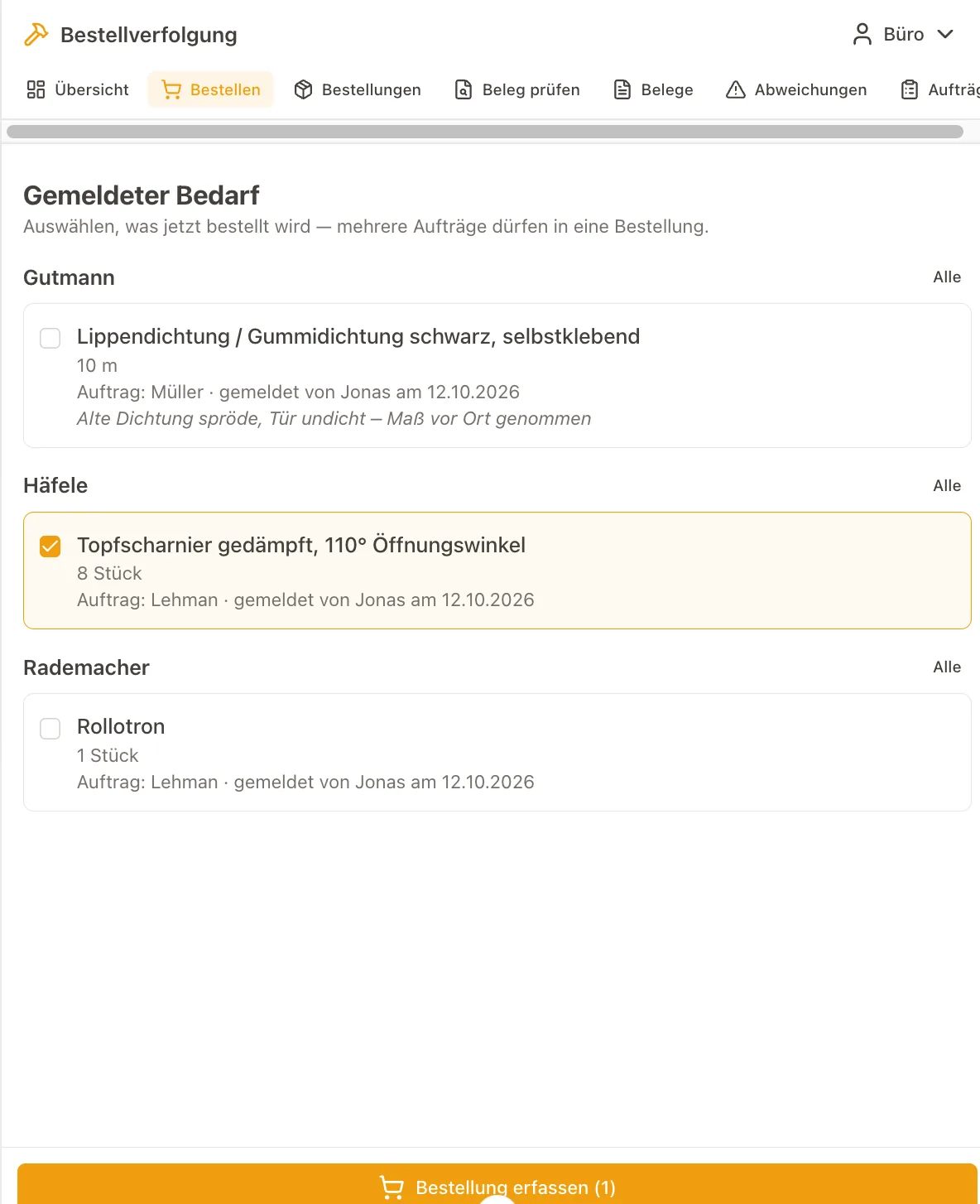
Reported needs, grouped by supplier, ready to be selected for an order
Order
Order confirmation as a PDF next to the open order items, pre-filled by the AI
Check documents
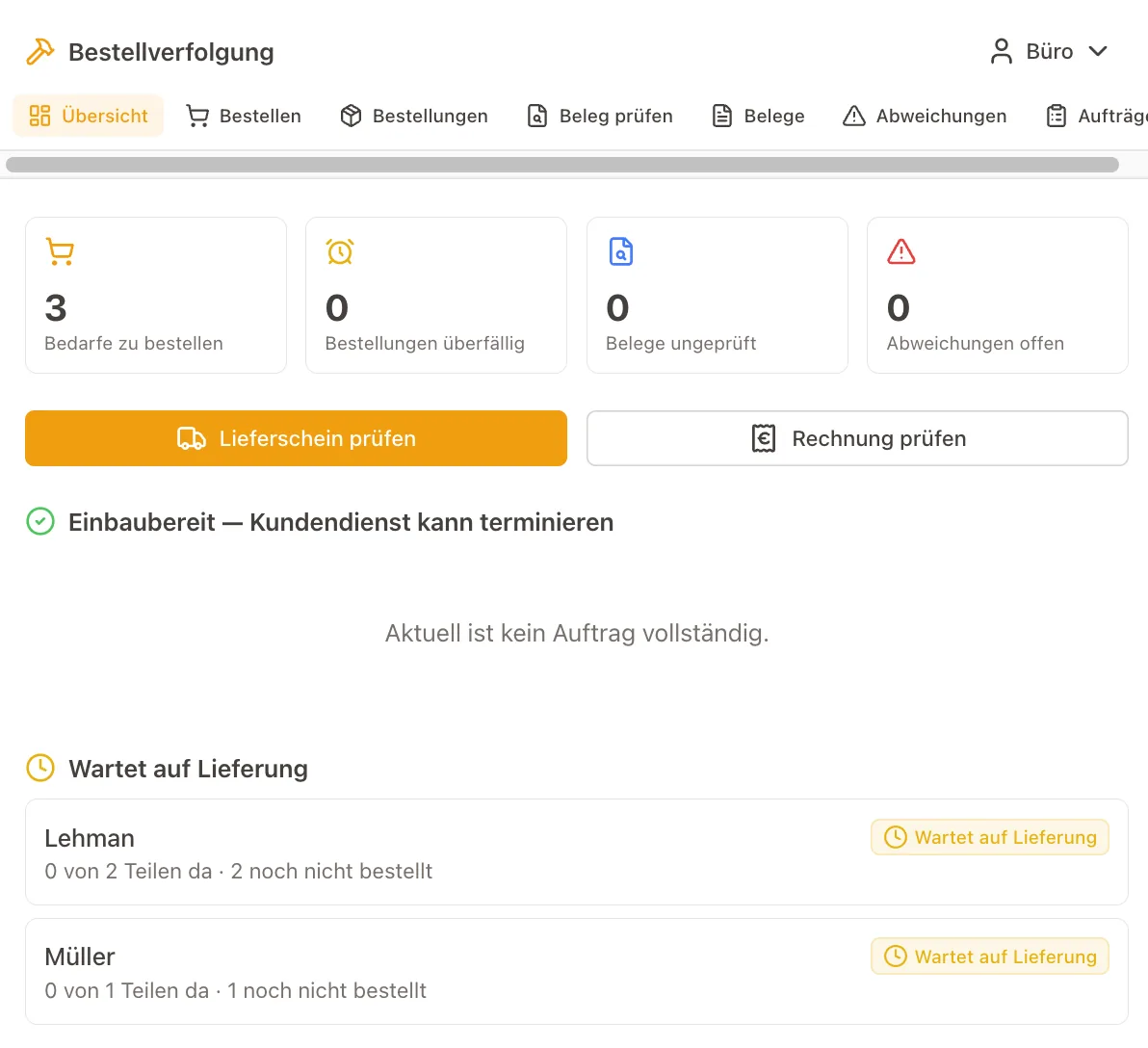
Overview with figures on needs, orders, documents and discrepancies, plus jobs waiting for material
Overview

No more chasing.

05Small businessMetalworking business in the Lüneburg Heath · Processes, Trello, ERP introduction

Processes first. Then the software.

A metalworking business wanted to work more digitally and efficiently. Before, there was a lot of paper and a lot of uncertainty in the processes.

  • Core processes mapped and optimised.
  • Temporarily set up in Trello to test whether they were right – that alone brought much more transparency to projects and customer orders.
  • In parallel, we gathered the requirements for new ERP software, looked for suppliers, tested the favourite and supported the introduction.
  • Along the way, we redesigned the digital filing and introduced the Kanban method.
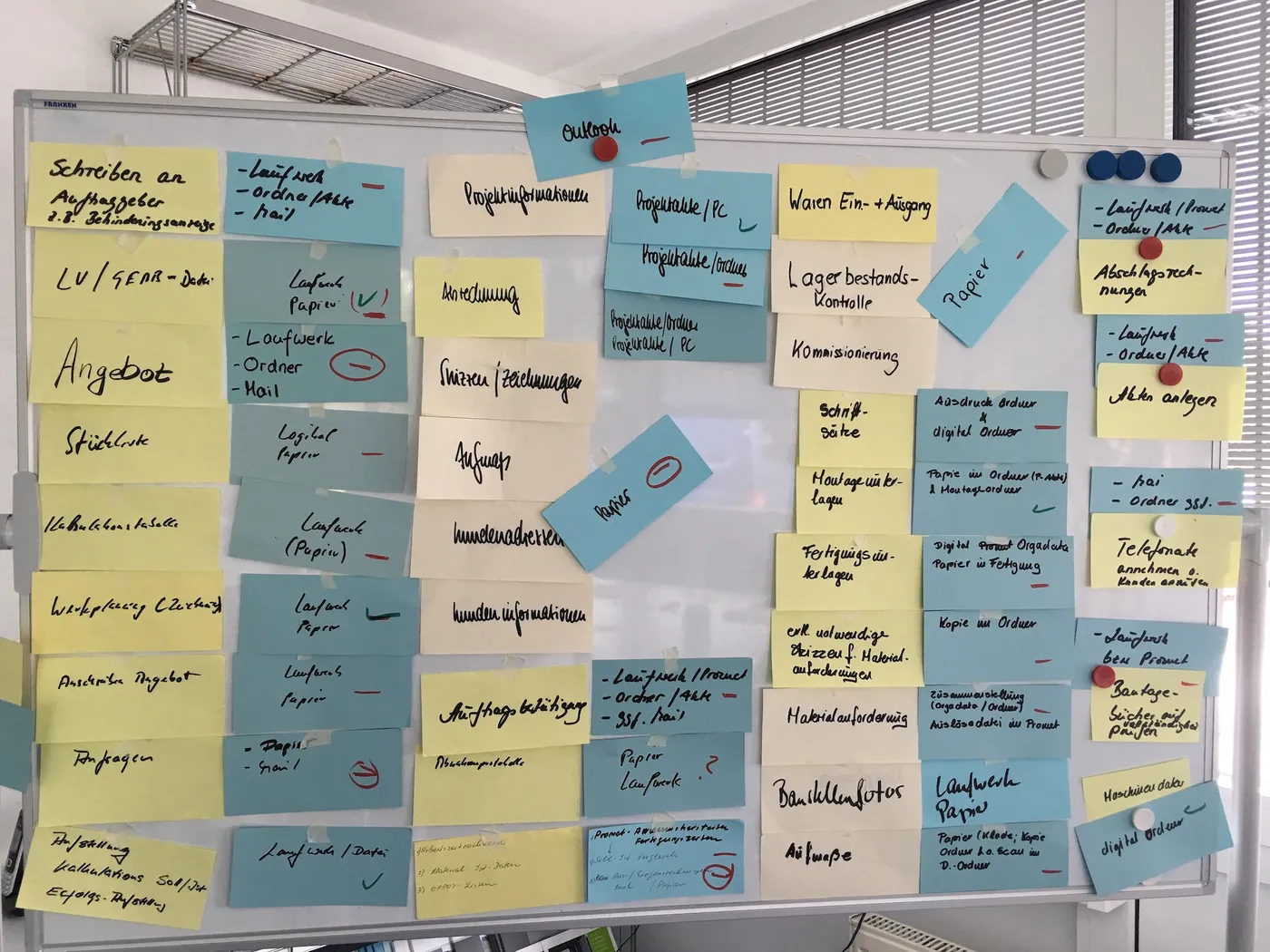
Whiteboard full of cards: work steps from quote to invoice, and next to them where the information sits today – paper, drive, folder, email
Mapping processes
Joint planning session in front of the board with the collected processes
Planning together

Next project: the warehouse.

06Small businessIndustry software extended · Browser extension

The industry software can do more now.

Proven industry software for trade businesses – it just lacked one complex calculation. Instead of switching software, we extended it.

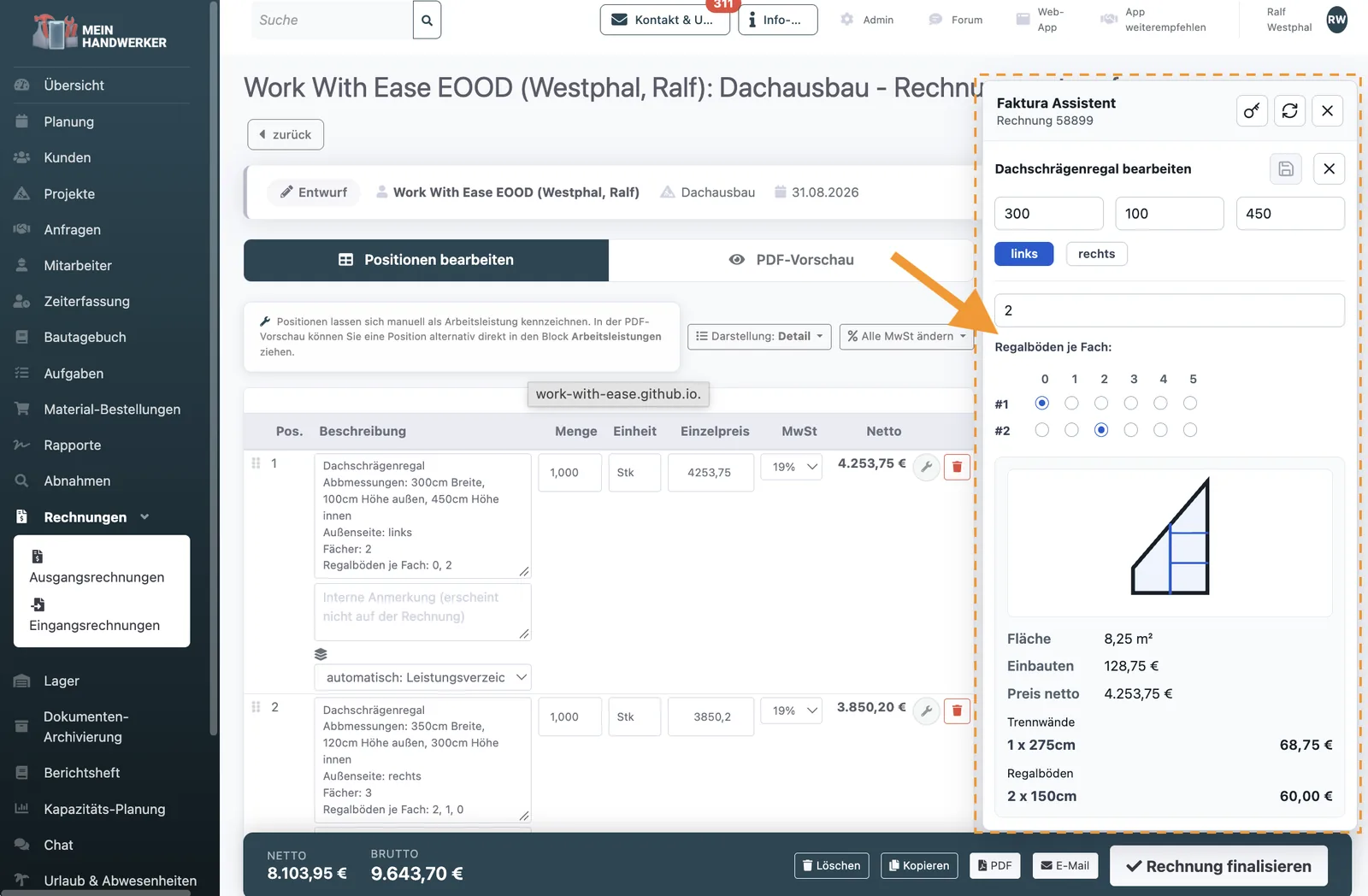
  • An assistant plugs straight into the invoice: enter dimensions, compartments and shelves, and the area, fittings and price are worked out.
  • The result lands in the invoice as a finished line item.
  • Built as a browser extension. Possible because the software – Mein Handwerker (mein-handwerker-app.de) – runs in the browser and has a programming interface.

The app in detail

Invoice in the Mein Handwerker software, with the additional invoicing assistant on the right showing dimensions, a sketch and the calculated price of a shelf for a sloping ceiling
Calculation in the invoice

Extend instead of switching.

07Small businessSole trader with many properties · One-to-one coaching

The whole business. Digital.

A businesswoman wanted to reinvent herself and her business. Before, there was endless paper in several offices; almost everything with tenants and the property managers was done on paper.

  • New devices bought, switch from Windows to Apple.
  • Software installed, accounts set up, workflows rebuilt.
  • Trained in one-to-one coaching sessions – the know-how is now hers.
  • Working with the property managers, tenants and tax adviser is now entirely digital.
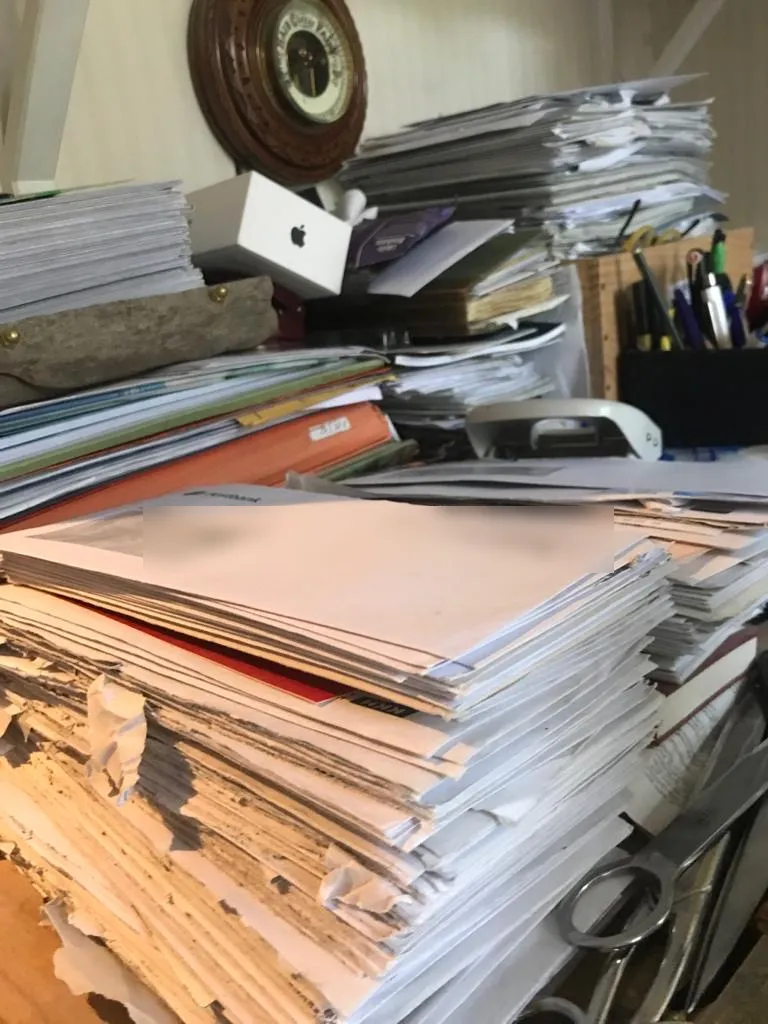
Tall piles of unopened letters and papers on a desk
Before
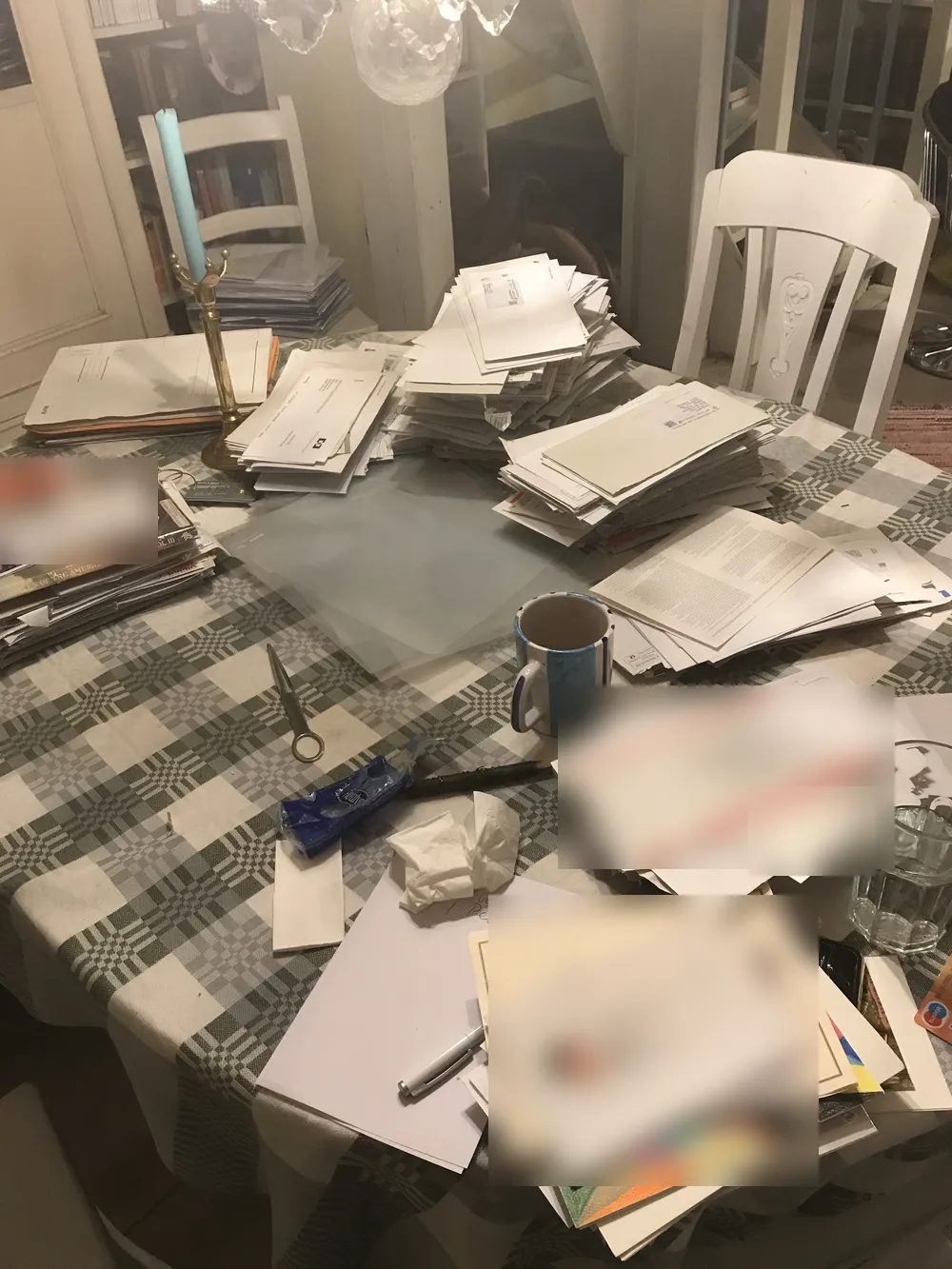
Dining table full of sorted piles of letters and papers while clearing up
Clearing up
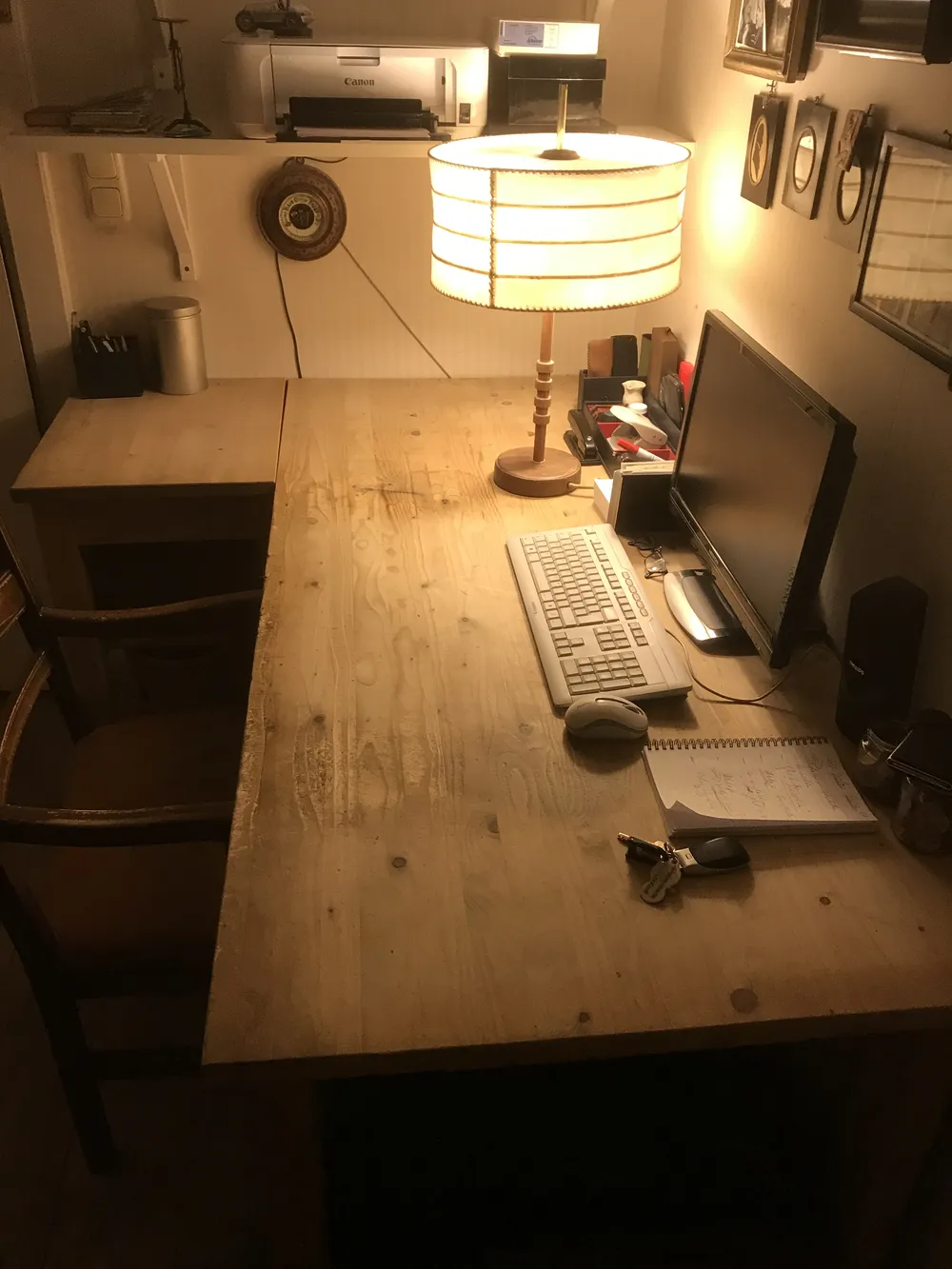
Tidy desk with monitor, keyboard and lamp, no piles of paper
After

All data. Anytime. Anywhere.

08Small businessShared home for people with disabilities · Google Sheets

Every quarter of an hour recorded. The billing writes itself.

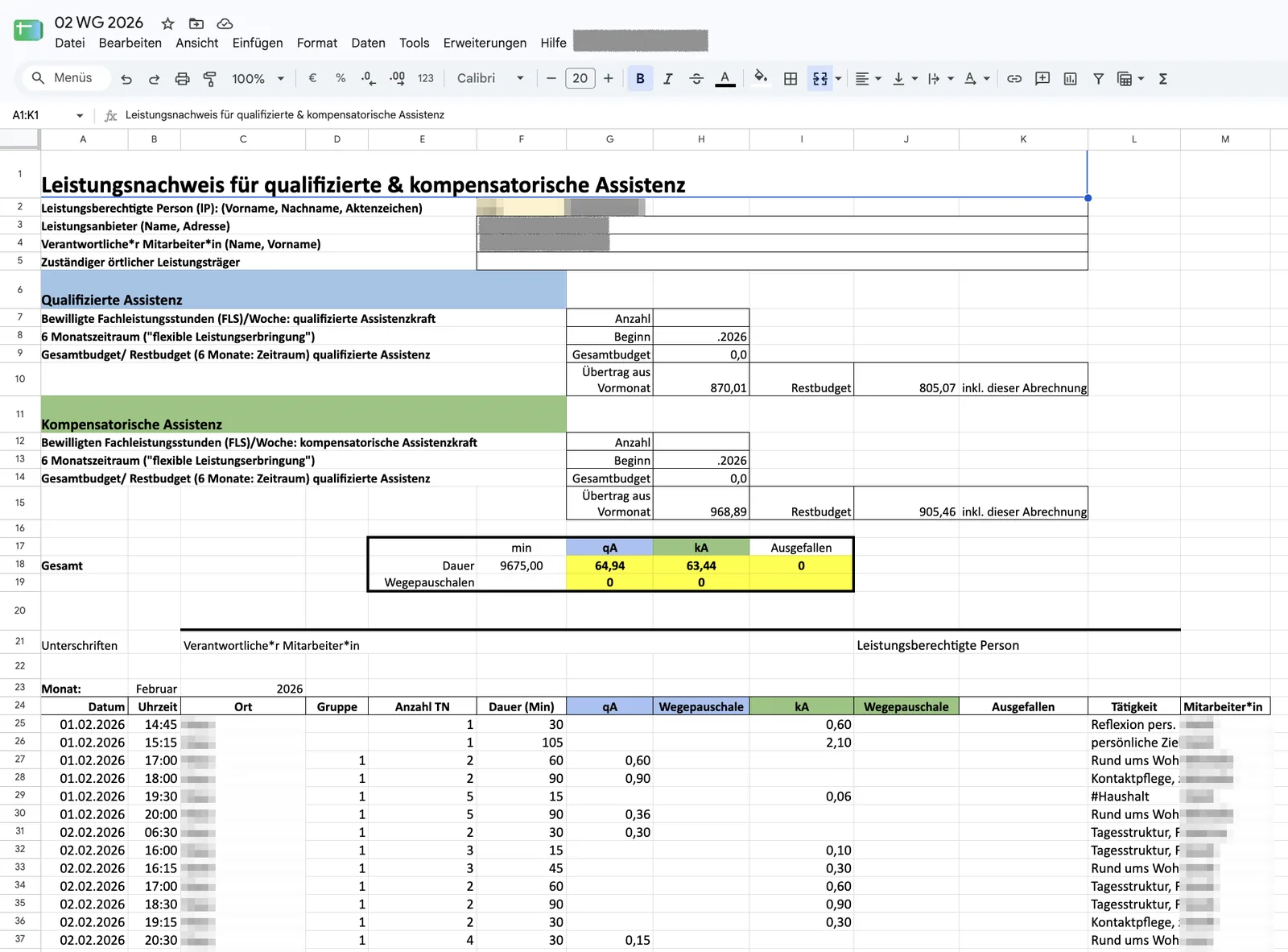
The carers in a shared home for people with disabilities record their activities in fine detail throughout the day – for individual residents or for groups.

  • The spreadsheet spots clashes and inconsistencies by itself.
  • At the end of the month, the service records for the funding bodies are produced.
  • Deliberately built as a Google Sheets application: at the start the processes weren’t clear yet, and a lot of flexibility was needed.

The app in detail

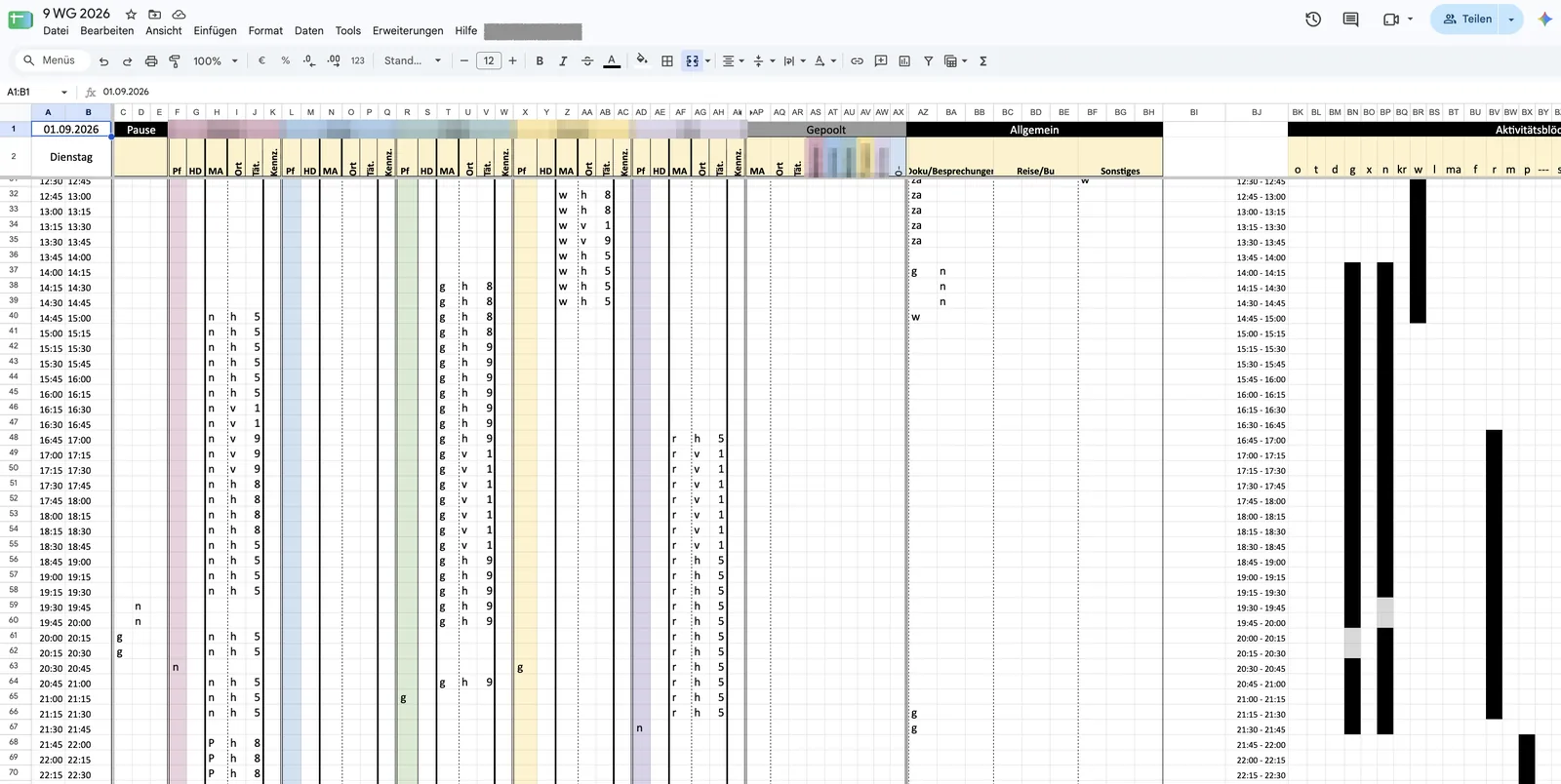
Spreadsheet with quarter-hour rows and coloured columns for each resident, names made unrecognisable
Recording
Monthly service record with budgets and individual entries, names and places made unrecognisable
Service record

Not every solution has to be an app.

09Small businessTraining academy for tradespeople · Workshops and training

Tired? Far from it.

An academy worked in a very traditional, paper-heavy way. A new manager brought new energy to question how things were done.

  • Joint workshops uncovered a lot of potential: make better use of existing software, drop many small unnecessary steps.
  • Then training in Microsoft 365, which is being introduced right now.
  • The surprise: the staff had lots of ideas of their own – even sceptics were won over.
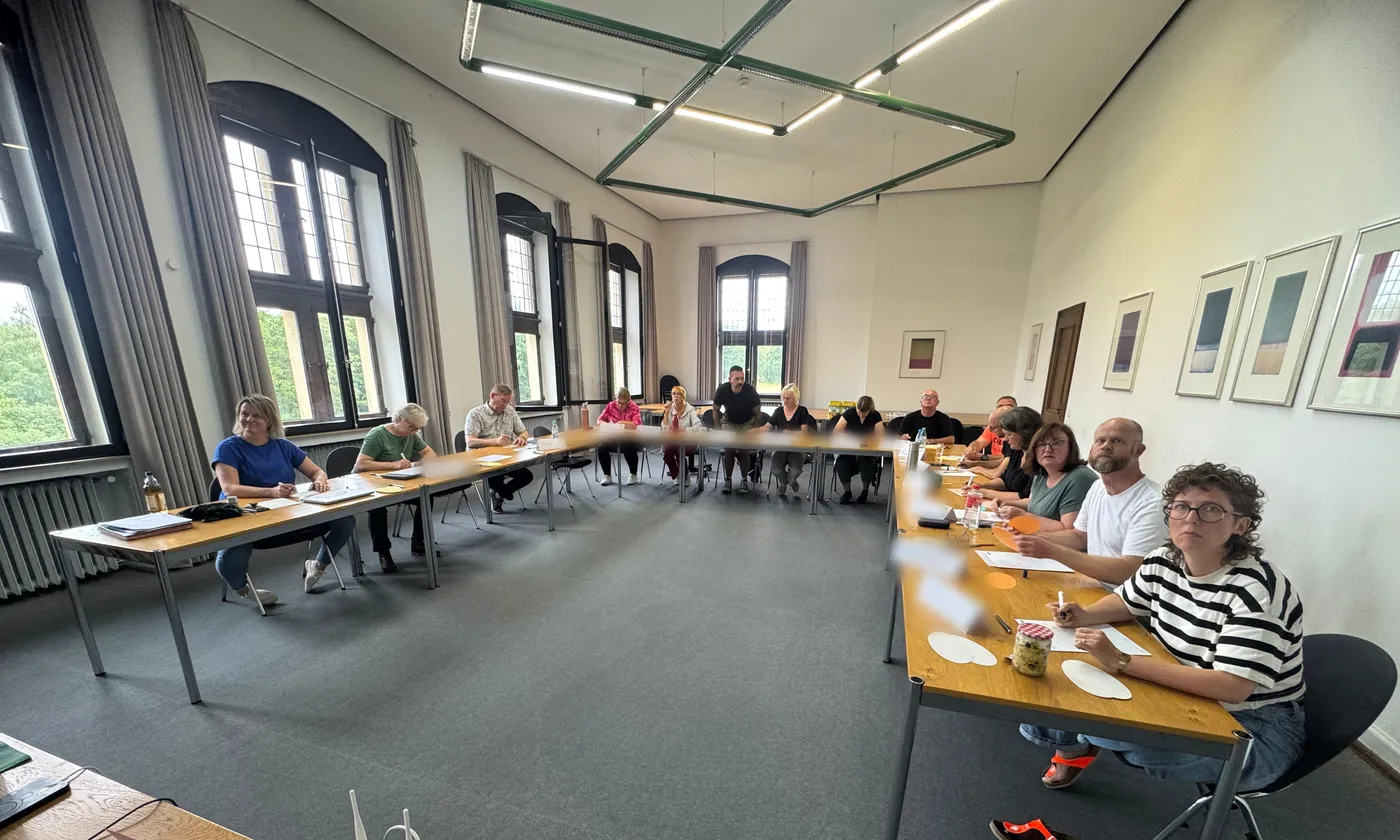
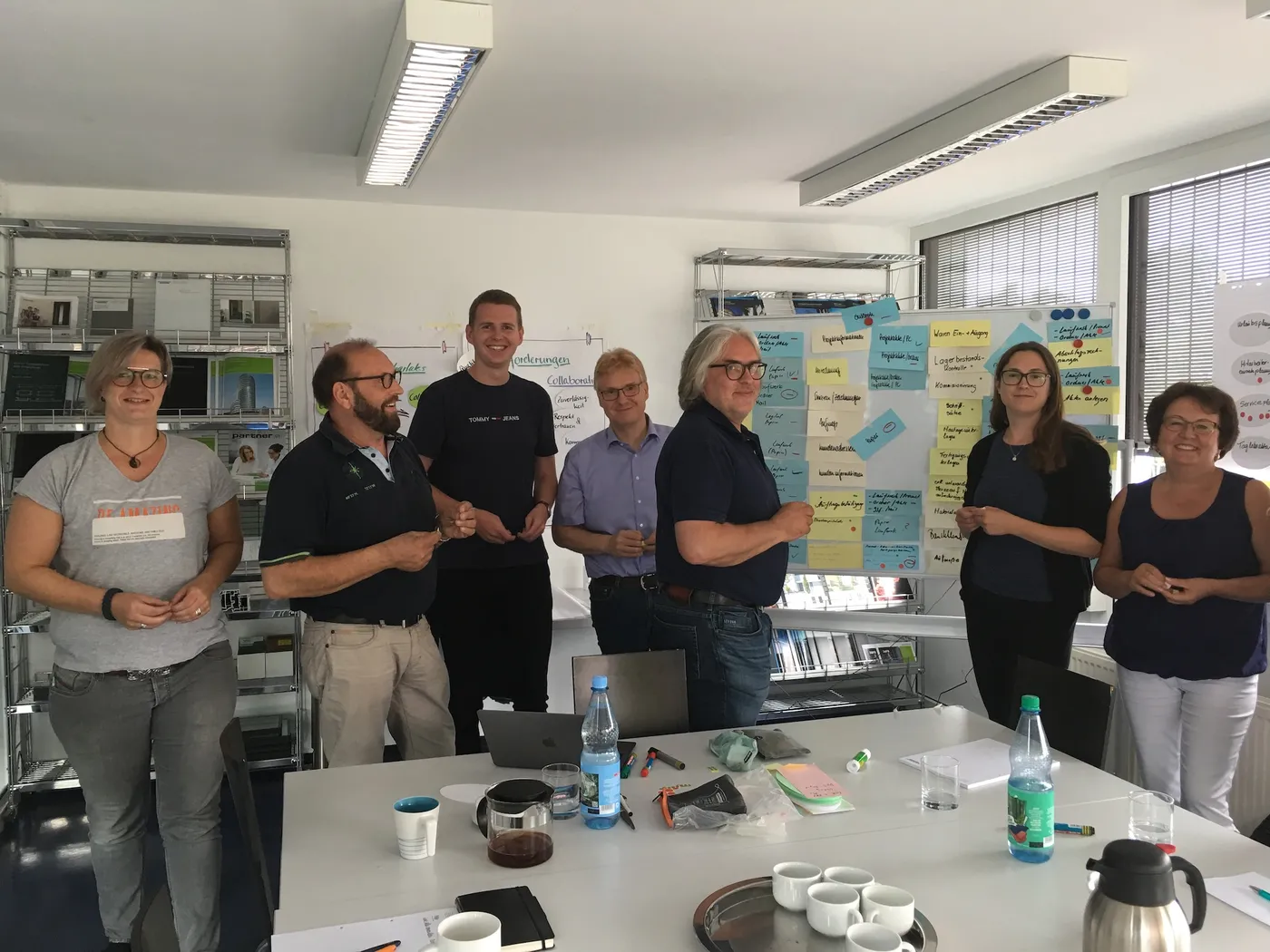
Workshop group at long tables in a bright seminar room (name cards made unrecognisable)
Workshop
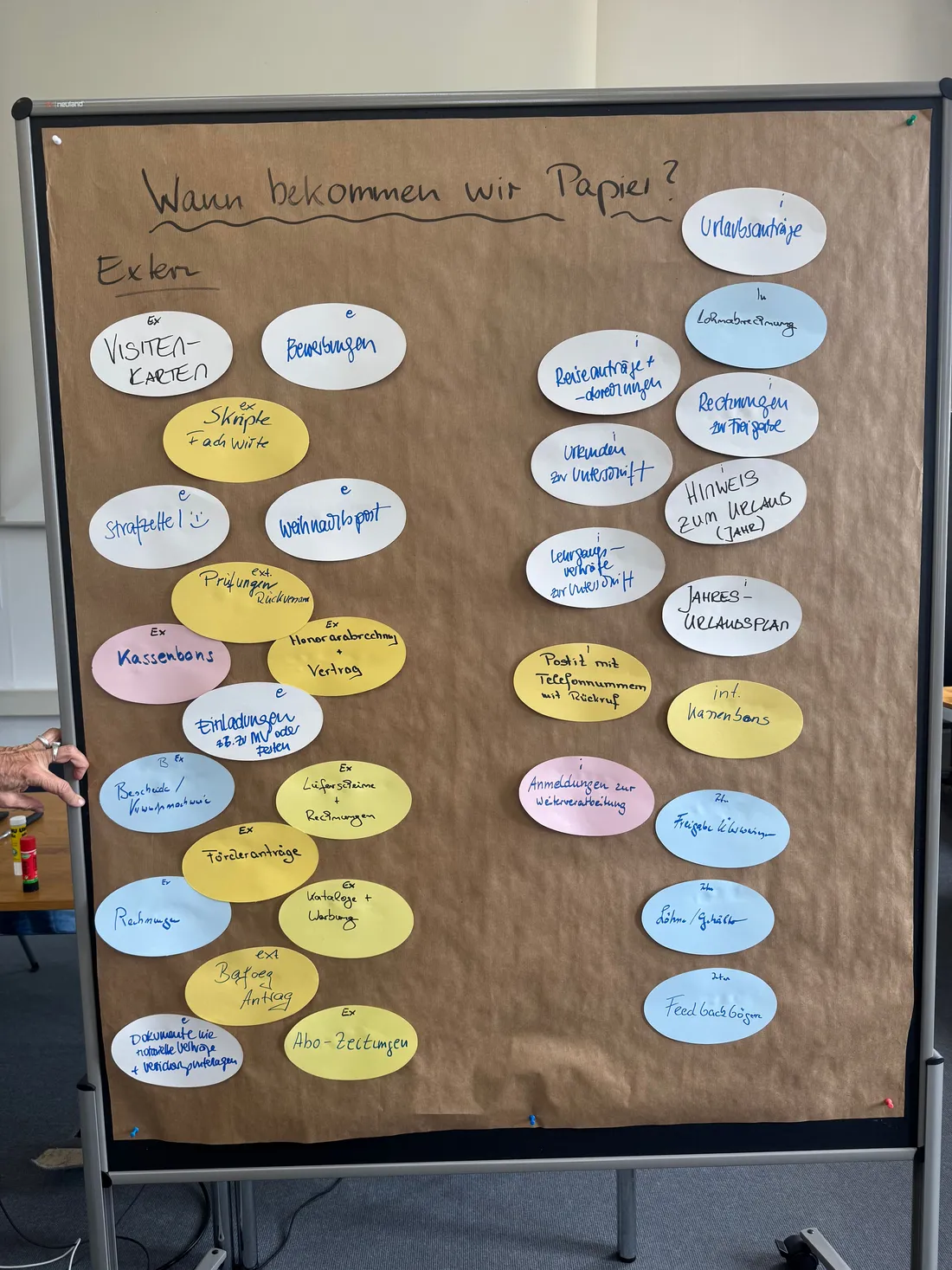
Pinboard ‘When do we get paper?’ with cards for external and internal sources of paper, from invoices to holiday requests
Collecting paper sources

The ideas were there all along.

10CorporationLarge company in southern Germany · Clear-outs, training, workshops

Tonnes less paper.

Over several years we worked with almost all the office departments of a very large company – from purchasing and sales to marketing and research and development. Everyone wanted to work digitally and cut out outdated processes.

  • It started with big clear-outs – with far more momentum than expected. In the end, everyone parted with much more than they had intended.
  • Clearing up showed how much waste there is in everyday work. Collected along the way: ideas for simplifying and going digital.
  • Lots of cupboards were freed up. The move into new, modern offices was made with light luggage.
  • Then came training on the tools and workshops on Microsoft 365 and time management – so that work carries on well organised.
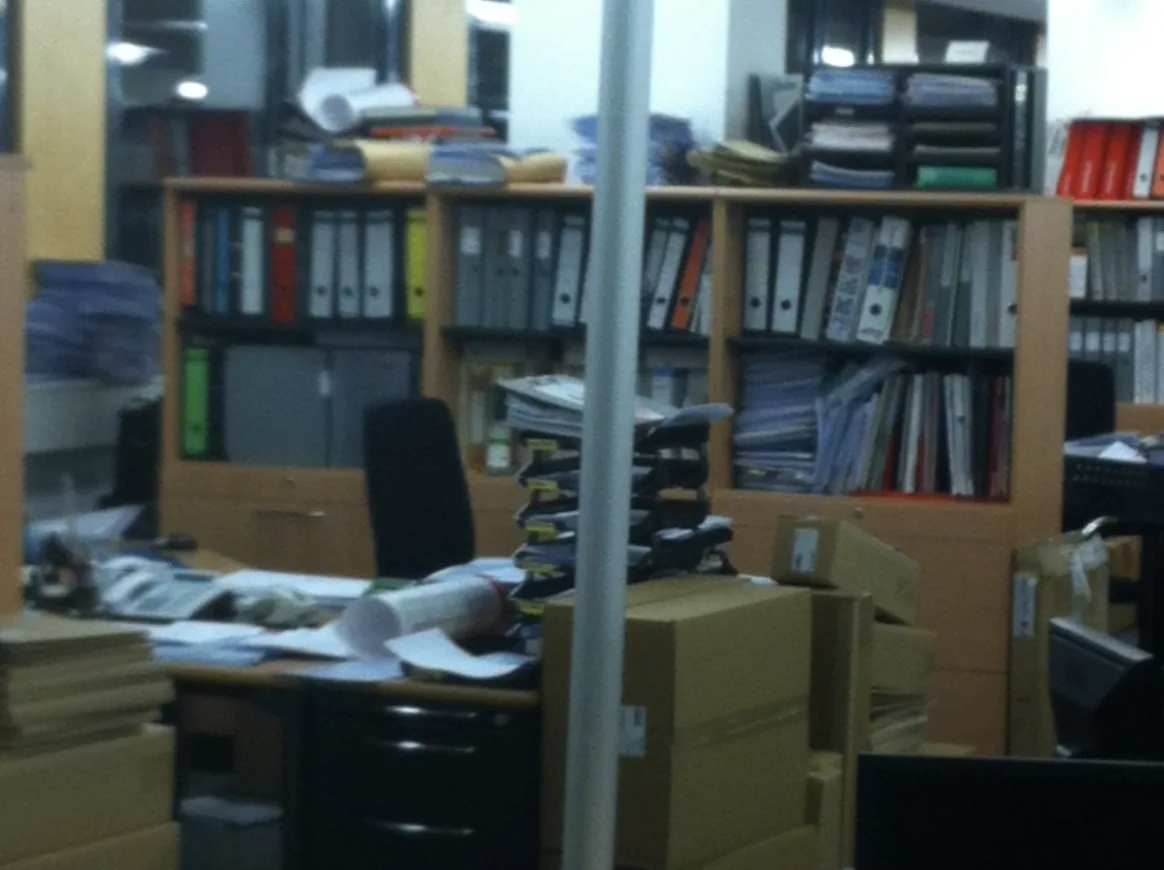
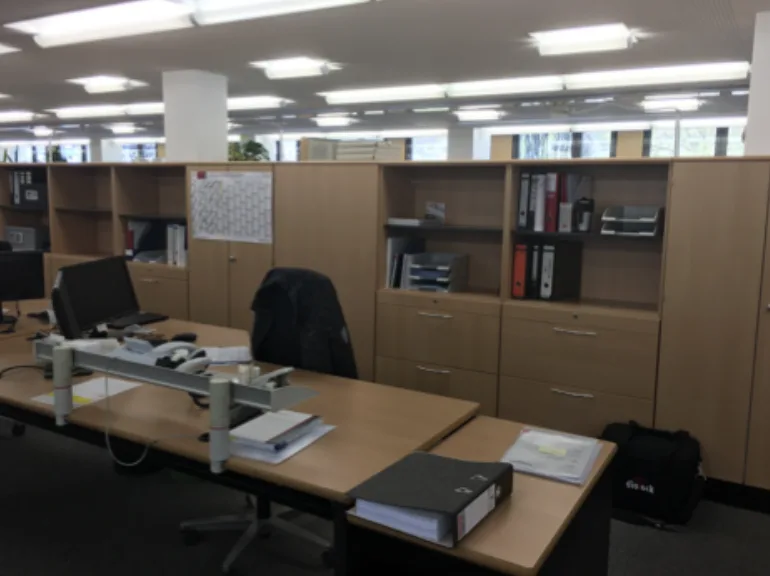
Office with overflowing shelves, stacks of folders, rolls of paper and boxes on and next to the desk
Before
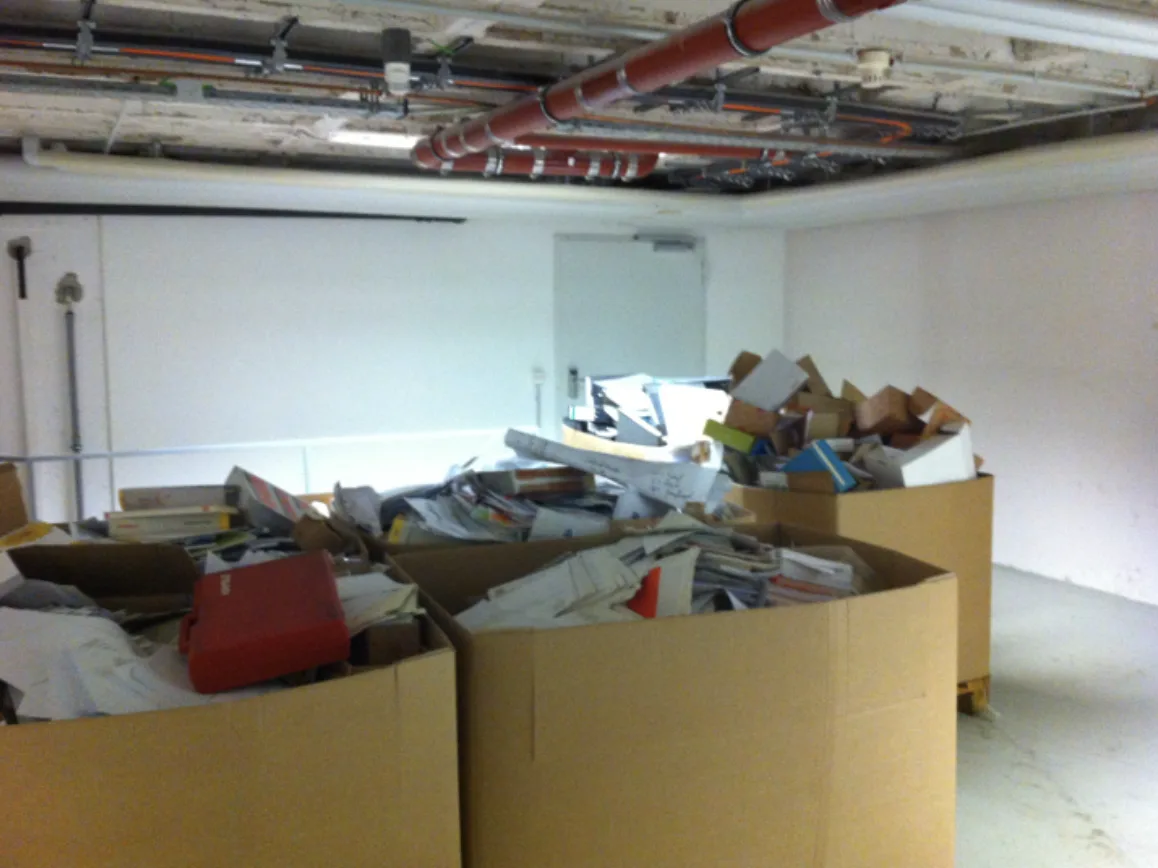
Large crates full of paper, folders and boxes in the basement
Disposal
Tidy open-plan office with clear desks and half-empty shelves
After

Let go of more than planned.
Your process could be the next case.
What should run
more simply for you?

Let’s talk about it